
Market analytics · SEO
What buyers search for — and where there is still room
Every query in Uzum search: how much money it holds, how much competition, and how easy it is to enter. Find out which words your card should be found for.
No store connection neededNo card requiredFrom 499,000 so'm a month
What's on the screen
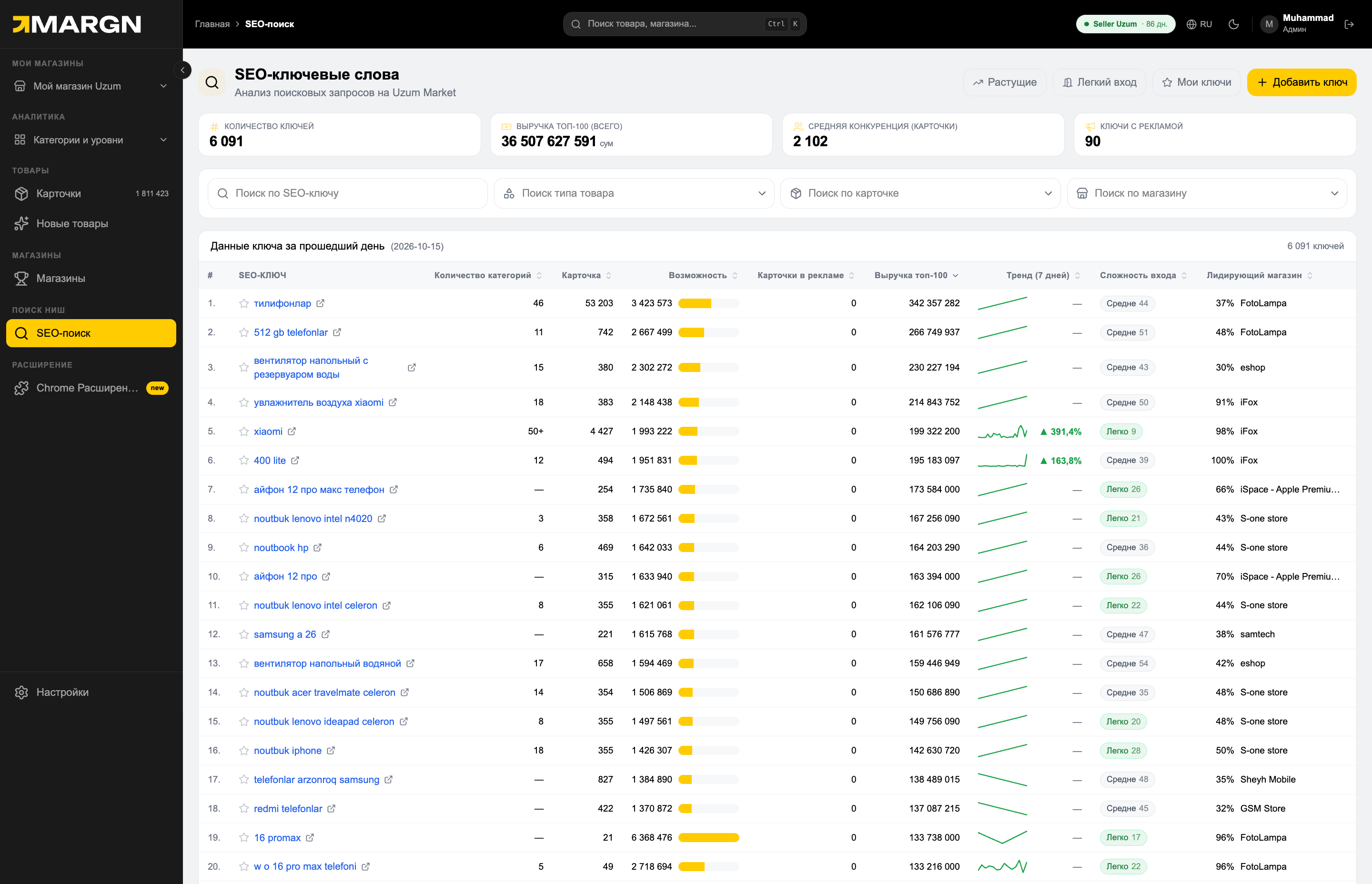
1
Overall metricsNumber of keywords, total TOP-100 revenue, average competition and keywords with ads.
2
Ready-made selections"Growing", "Easy entry" and "My keywords" — in one click.
3
CapabilityTOP-100 revenue ÷ number of cards. The higher, the more room.
4
Trend (7 days)Whether revenue for the query is rising or falling — chart and percentage.
5
Entry difficultyA 0–100 score based on reviews, orders and ads in the TOP-10.
6
Leading storeWho dominates the query and its share of TOP-100 revenue.
6 000+keywords
0–100entry difficulty score
7 daystrend and position history
Questions it answers
Which words to put in the card?Queries for your product and their volume.
Where is entry easy?The "Easy entry" selection and the difficulty score.
Is demand growing?The 7-day trend and the daily revenue chart.
Who holds the query?The leading store, shares and TOP-10 positions.
Inside a keyword
Open any query — and decide on one page whether it is worth entering.
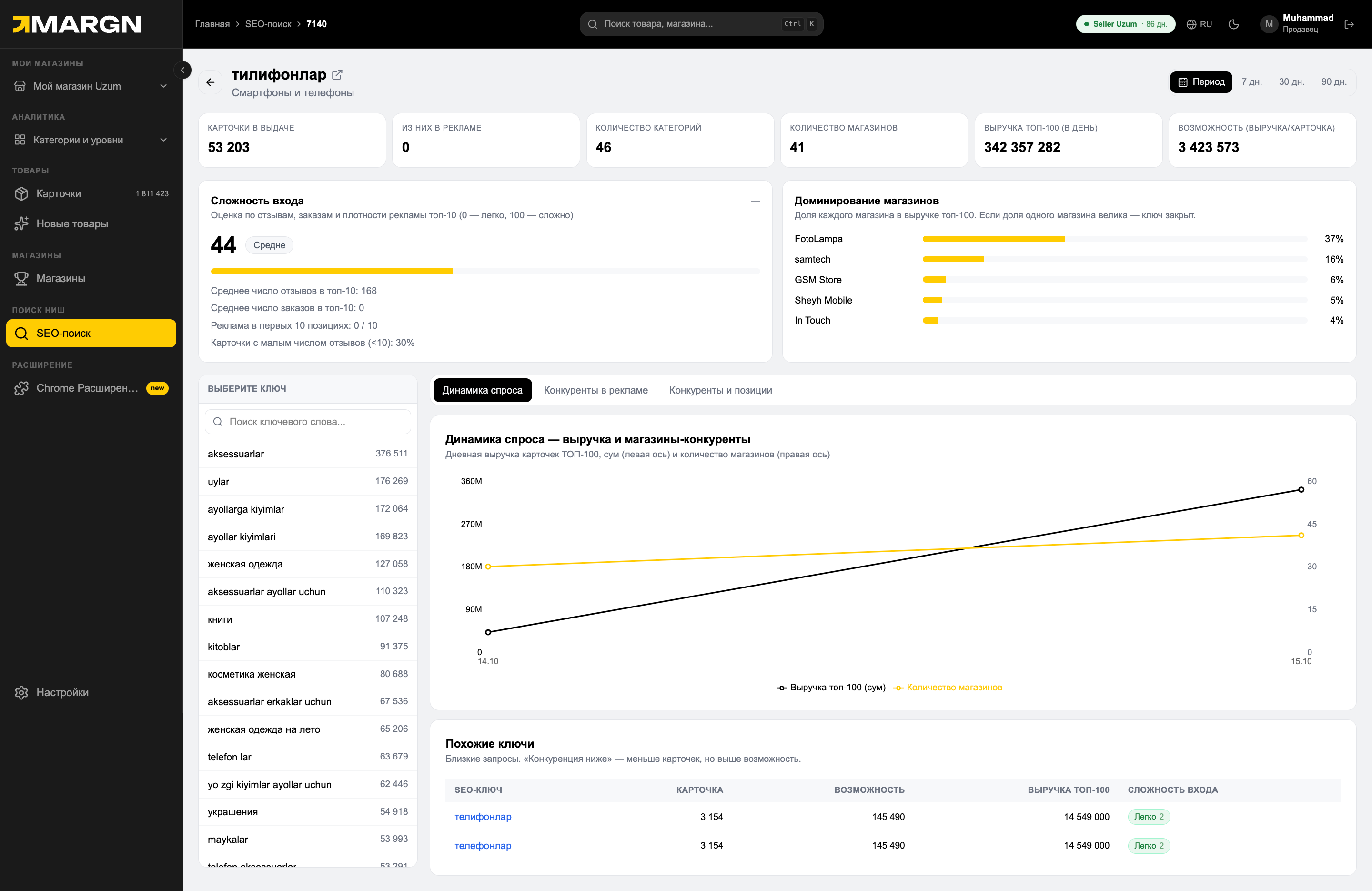
1
Query metricsCards in results, cards in ads, categories, stores, TOP-100 revenue and opportunity.
2
Entry difficulty0 — easy, 100 — hard. You can see what the score is made of: reviews, orders, ads.
3
Store dominanceEach store's share of TOP-100 revenue. If one share is large, the keyword is locked.
4
Keyword selectorMove to other queries in one click.
5
Demand trendDaily TOP-100 revenue and the number of competing stores.
6
Similar keywordsRelated queries — with less competition and more opportunity.
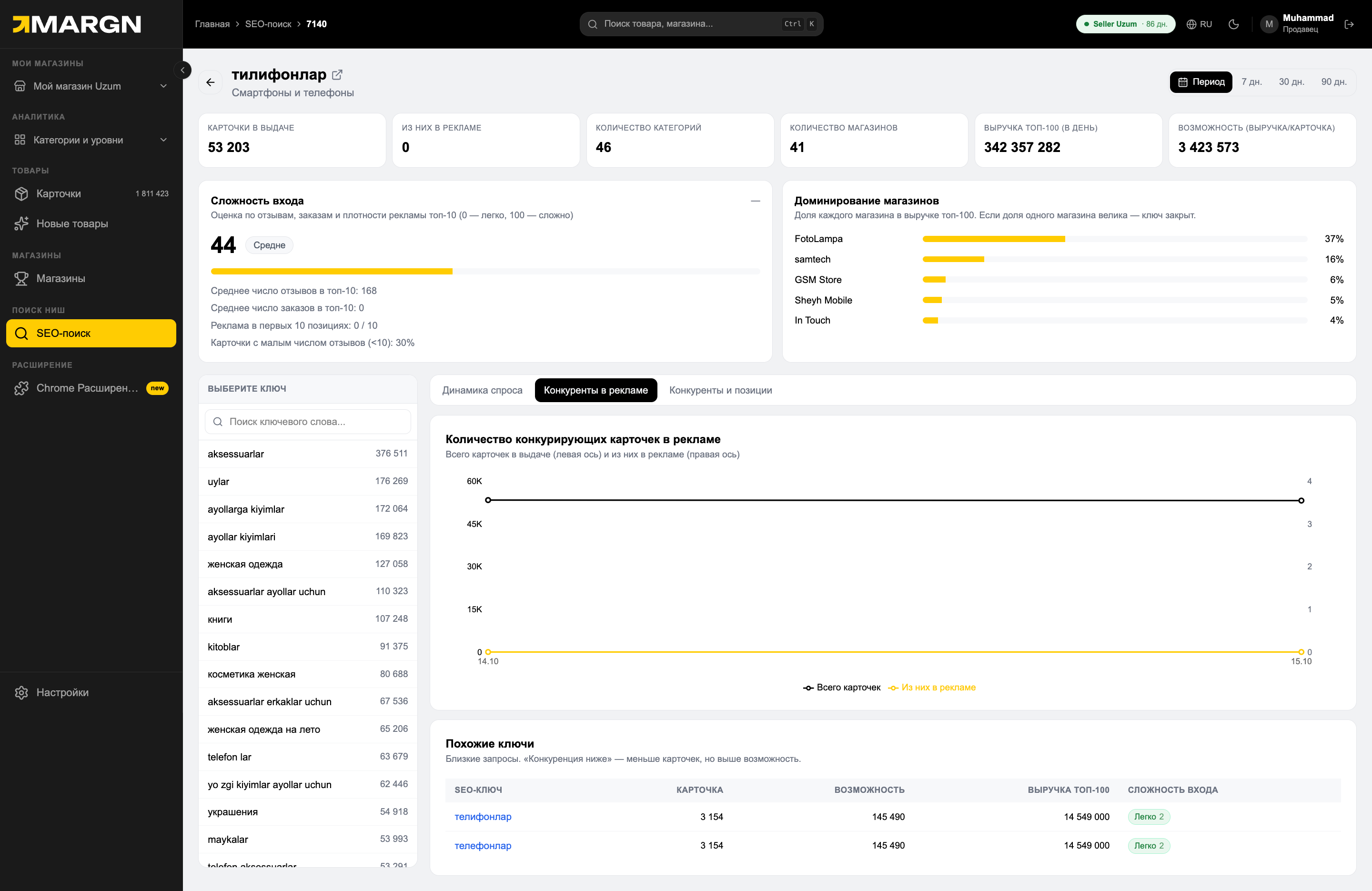
1
Competitors in adsHow many cards are in the results in total and how many of them are advertised.
2
Similar keywordsAlternative queries without ads or with low competition.
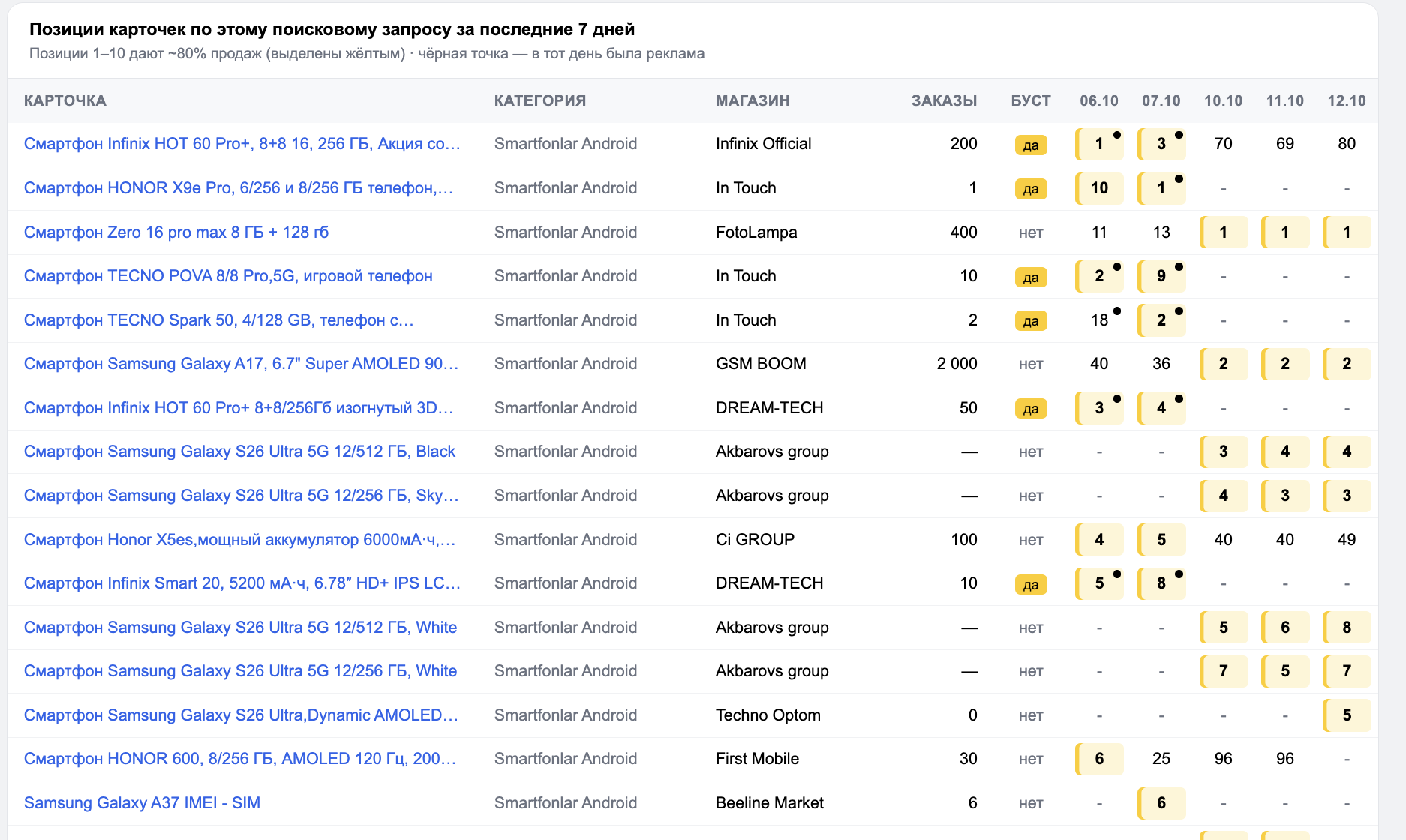
1
Positions over 7 daysEach card's place by day; 1–10 are highlighted in yellow, a dot marks a day with ads.
2
Ad markerWhether the card was in "Boost" — you can see who bought the place and who ranks organically.
How it works
1Find a queryVia search or the "Growing" and "Easy entry" selections.
2Open a keywordDifficulty, competition and demand trend.
3TrackAdd the keyword to "My keywords".
Questions and answers
How is "opportunity" calculated?
The revenue of the TOP-100 cards for a query is divided by the number of cards. The higher the value, the more money per card.
What makes up "entry difficulty"?
The average number of reviews and orders of the TOP-10, ads in the first 10 places, and the share of cards with few reviews — the result is from 0 to 100.
Can I find out which queries my card ranks for?
Yes. Find the card or the store — you will see the queries it appears for and its positions.
Is this SEO for Google?
No. This is search inside Uzum — marketplace SEO: where your card ranks when a buyer types a query into Uzum search. This section does not affect Google positions.
See the market in numbers
7 days of full access. No card needed.