
Analytics for your Uzum store — from sales to net profit
Connect your Uzum seller dashboard — MARGN will show profit, stock and problems for every order, SKU and ad.
Why profit matters, not revenue
Revenue on Uzum looks good, but commission, logistics, storage, ads, returns and cost price come out of it. If you don't calculate per SKU, profit can fall even as sales grow.
Store analytics takes these deductions from Uzum reports; you only enter the cost price. As a result you see how much is left from each card, order and ad campaign.
What's in the dashboard
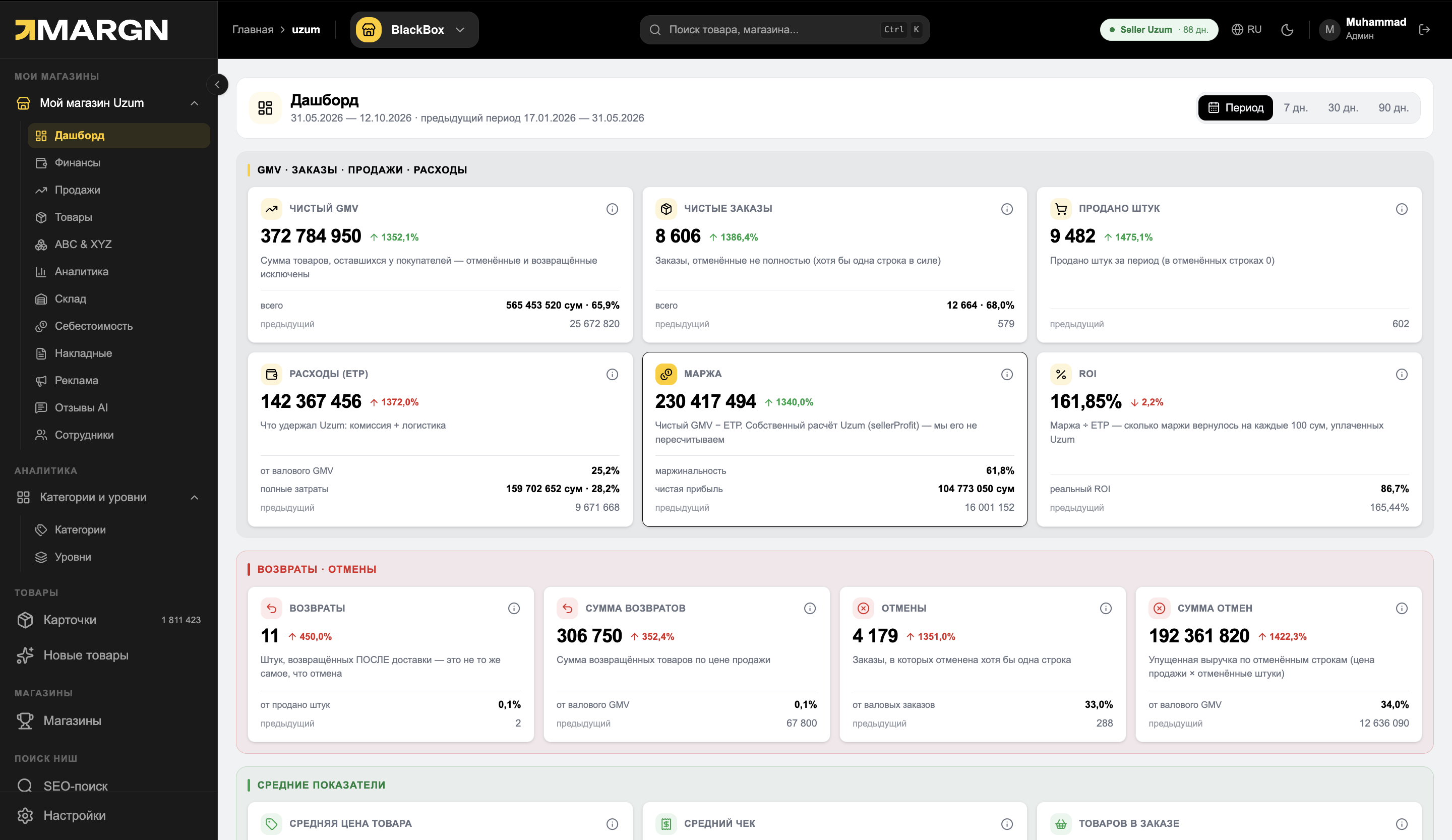
Your store at a glance
Net GMV, orders, margin and ROI compared with the previous period.
- Key metrics and growth %
- Returns and cancellations
- Category share and top products
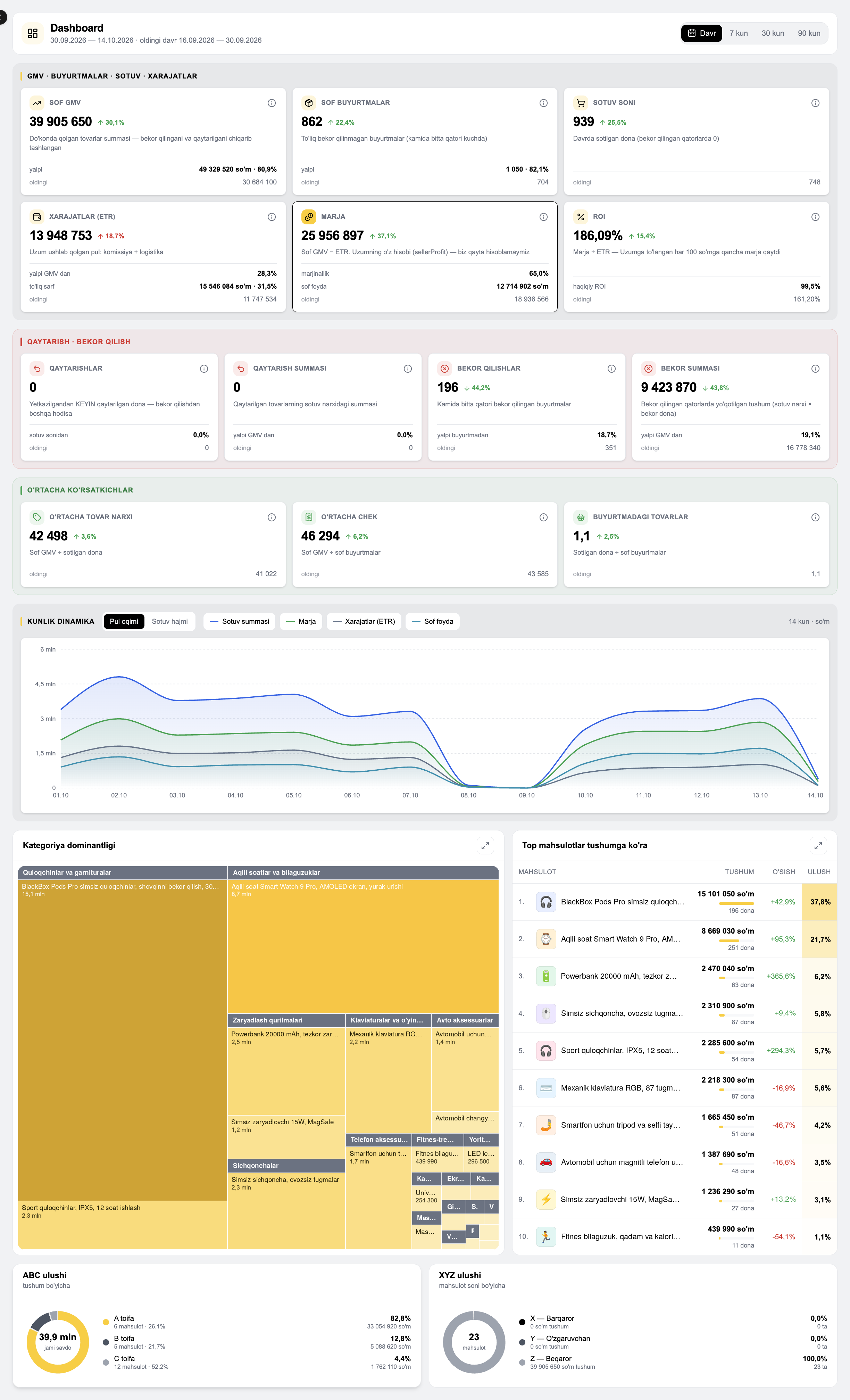
Real net profit
What is left after tax and manually added expenses.
- Commission, logistics, ads, storage and cost price
- Period comparison
- Daily revenue calendar
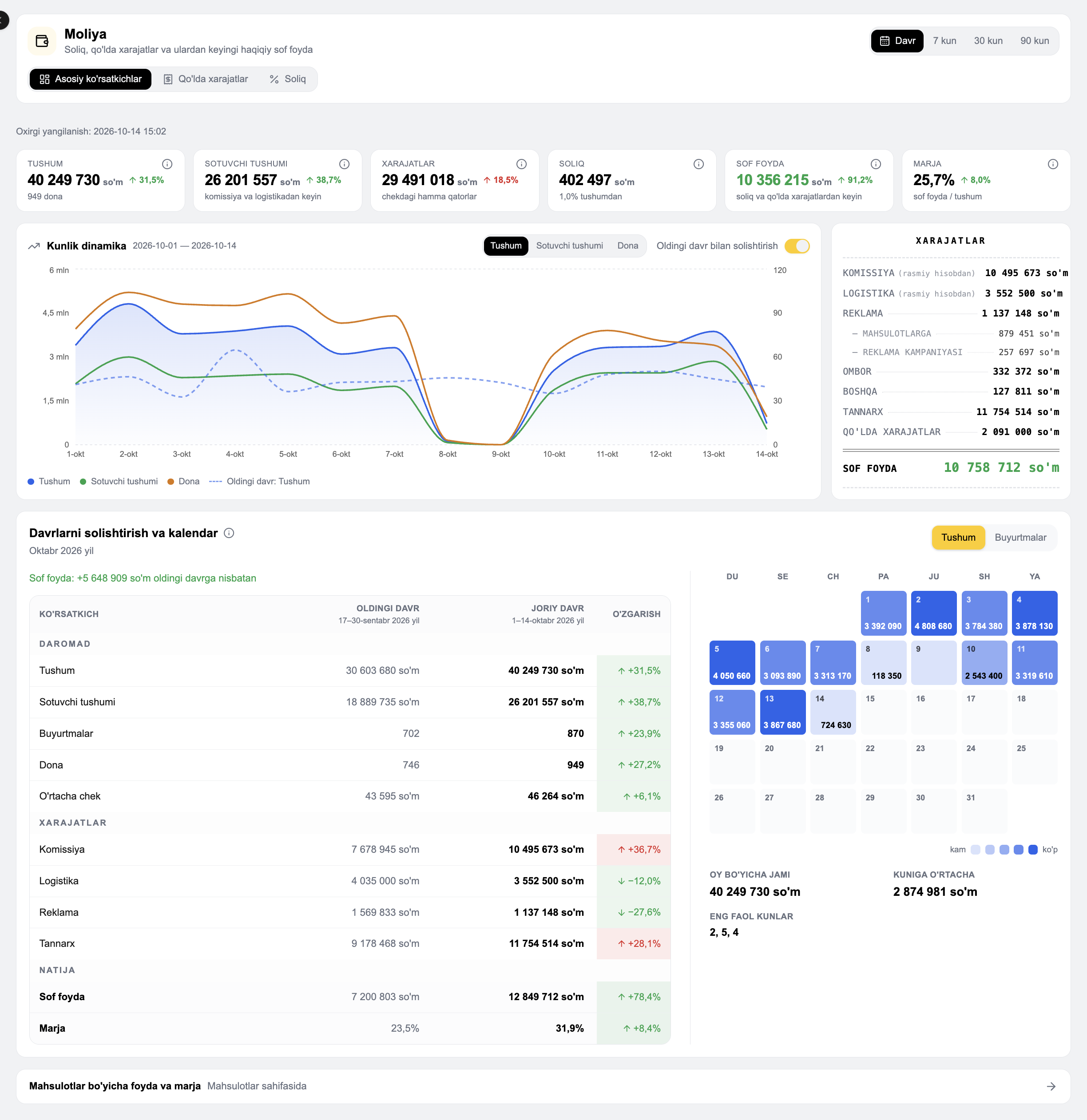
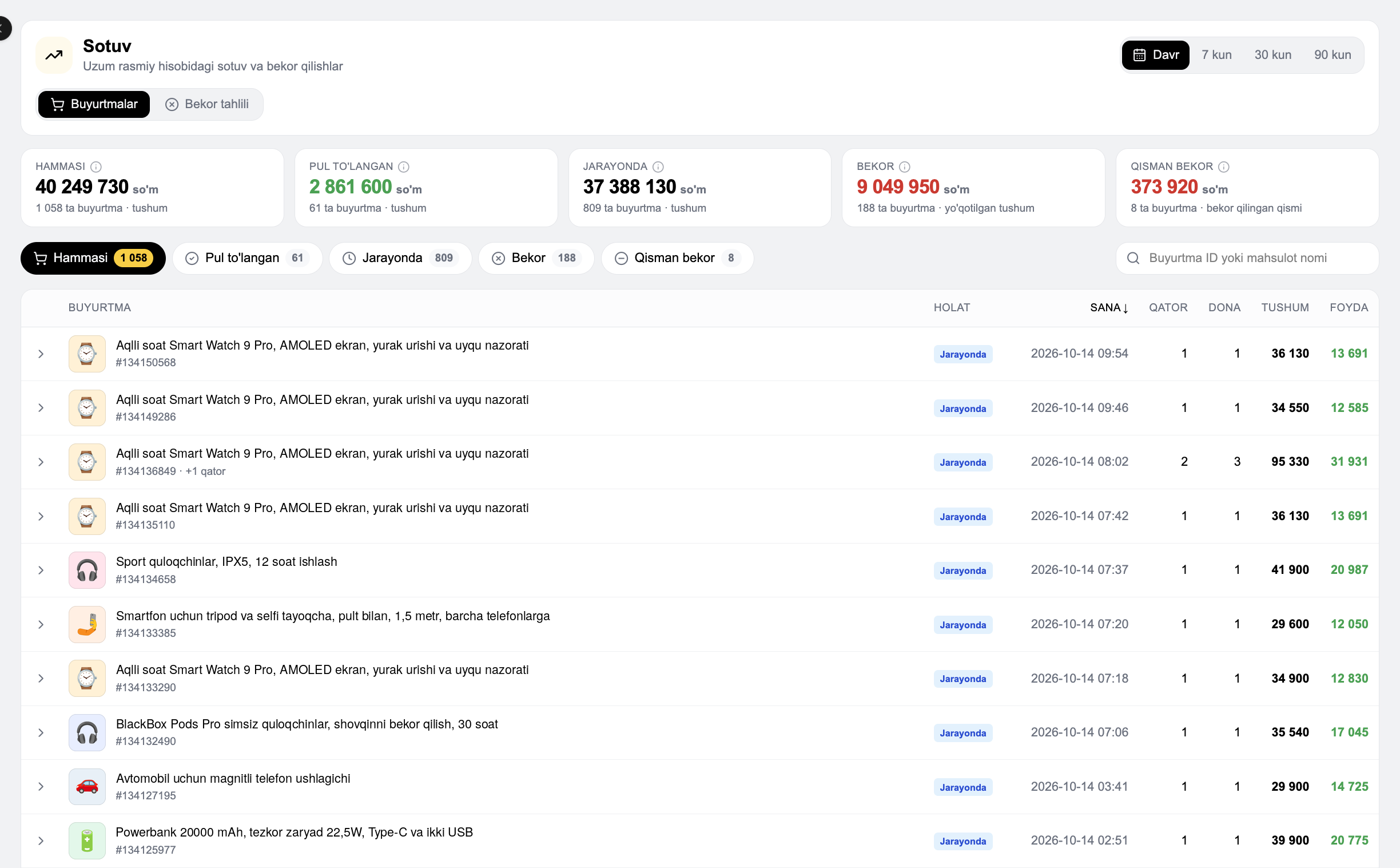
Every order and every cancellation
How much profit each order made and why orders were cancelled.
- Order status and profit per order
- Cancellation reasons and lost revenue
- Daily cancellation rate
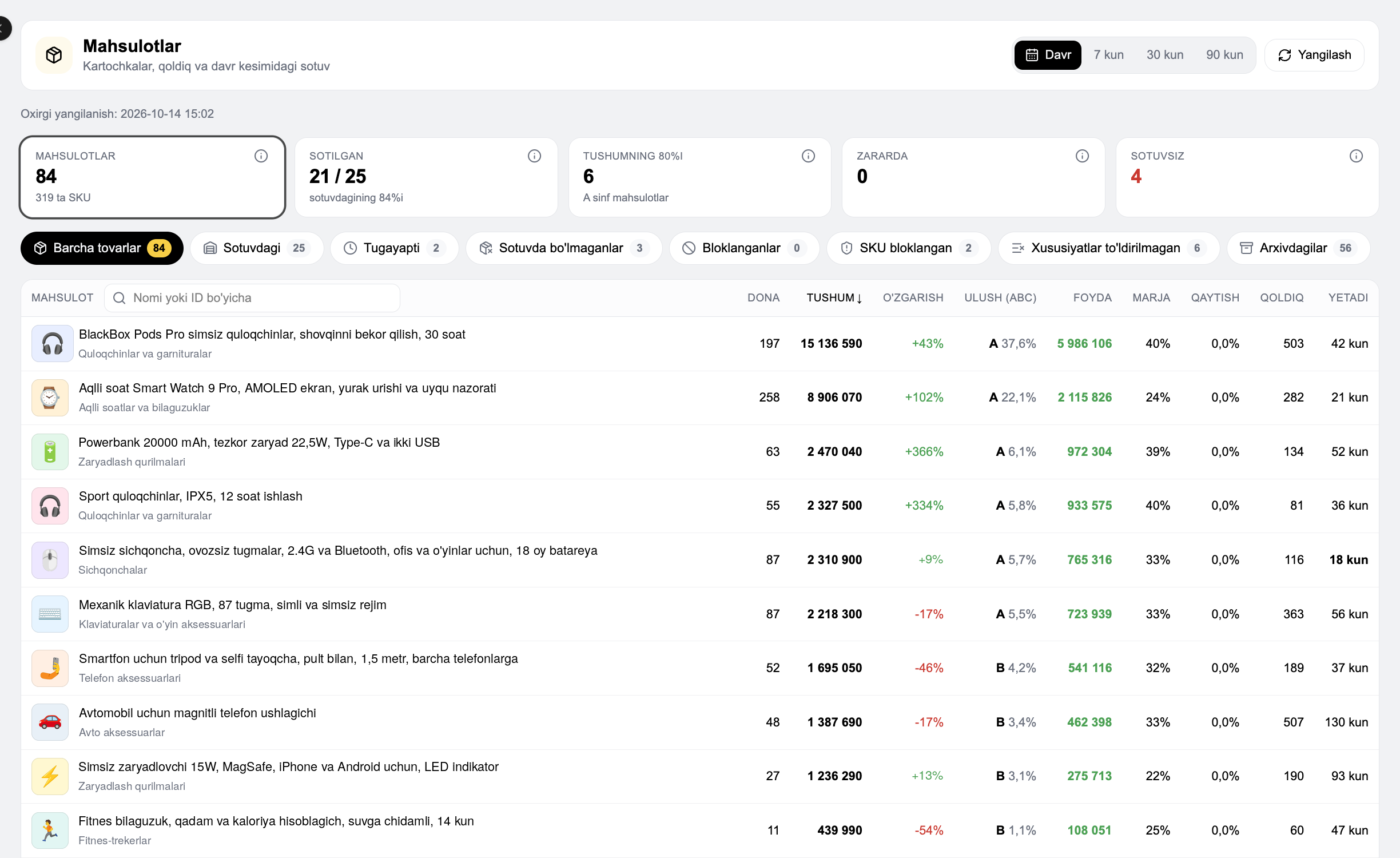
Profit for every listing
Revenue, profit, margin and days of stock left — in one table.
- Ready filters: running out, no sales, blocked
- Per-SKU detail inside each listing
- Sales chart, stock and traffic
Which products make the money
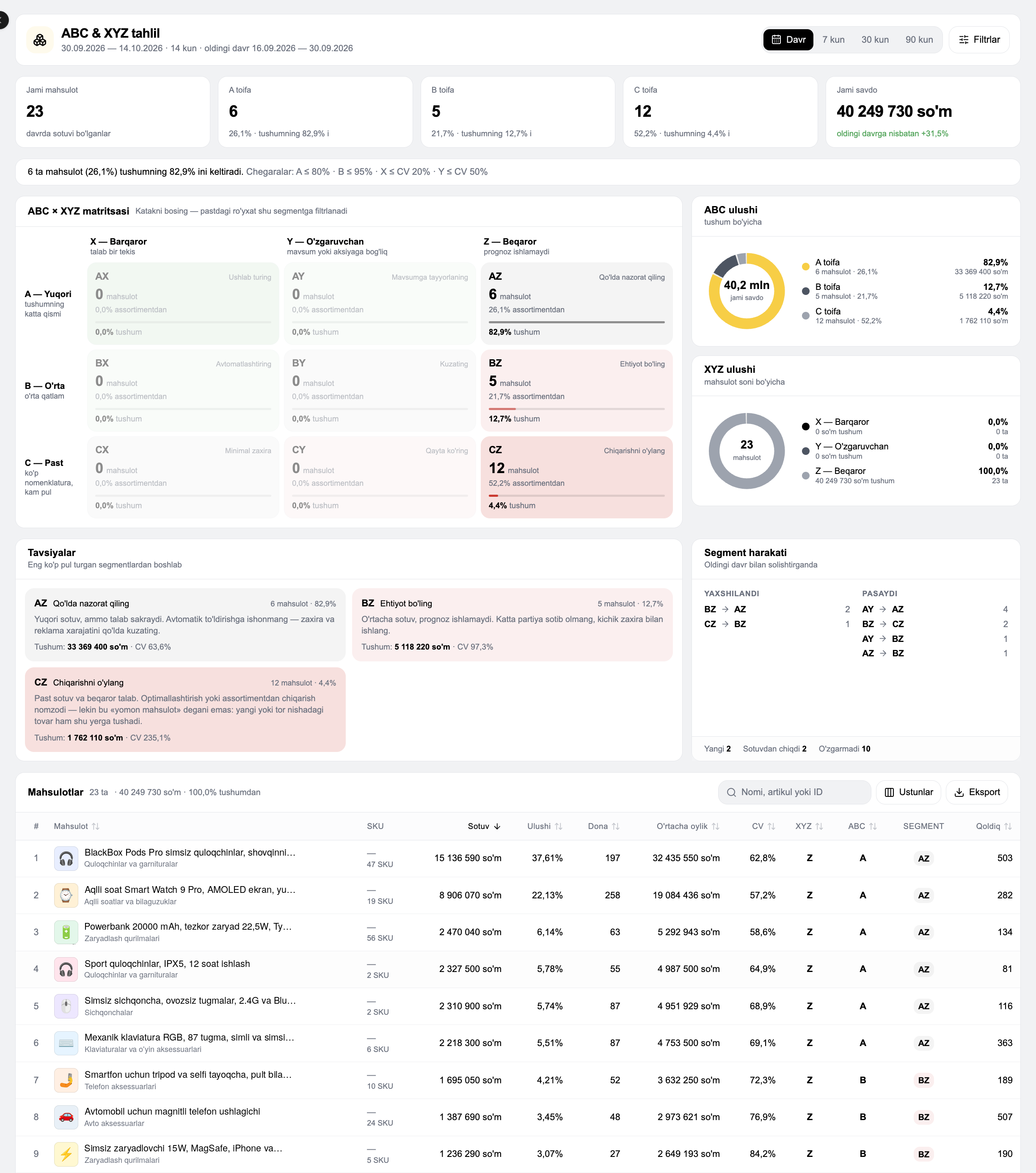
Products are segmented by revenue and demand stability.
- ABC × XYZ matrix
- A recommendation for each segment
- Segment movement
What needs attention today
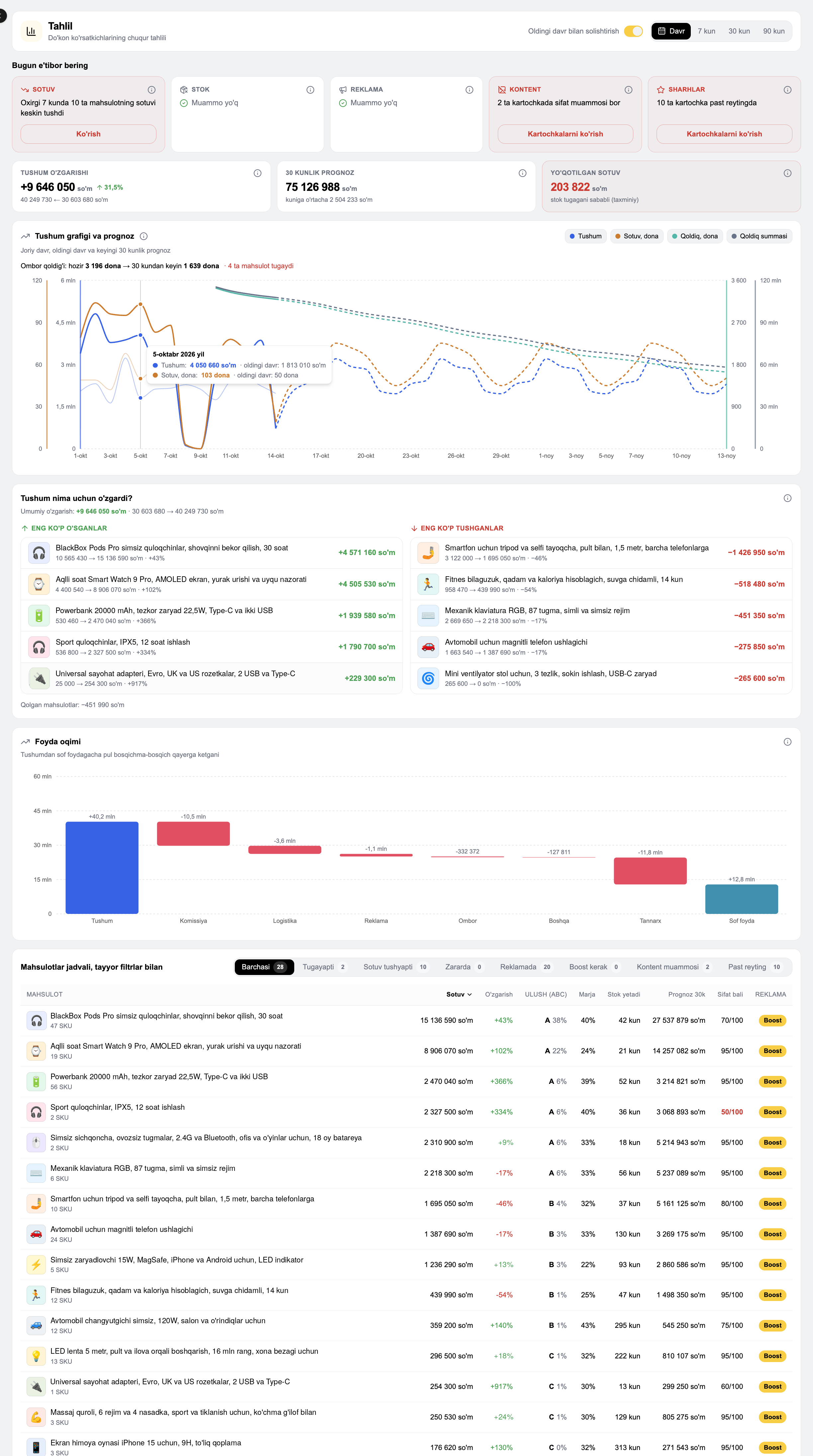
MARGN finds issues on its own and forecasts the next 30 days.
- Sales, stock, ads and content alerts
- 30-day revenue forecast
- Why revenue changed and the profit flow
Stock and replenishment plan
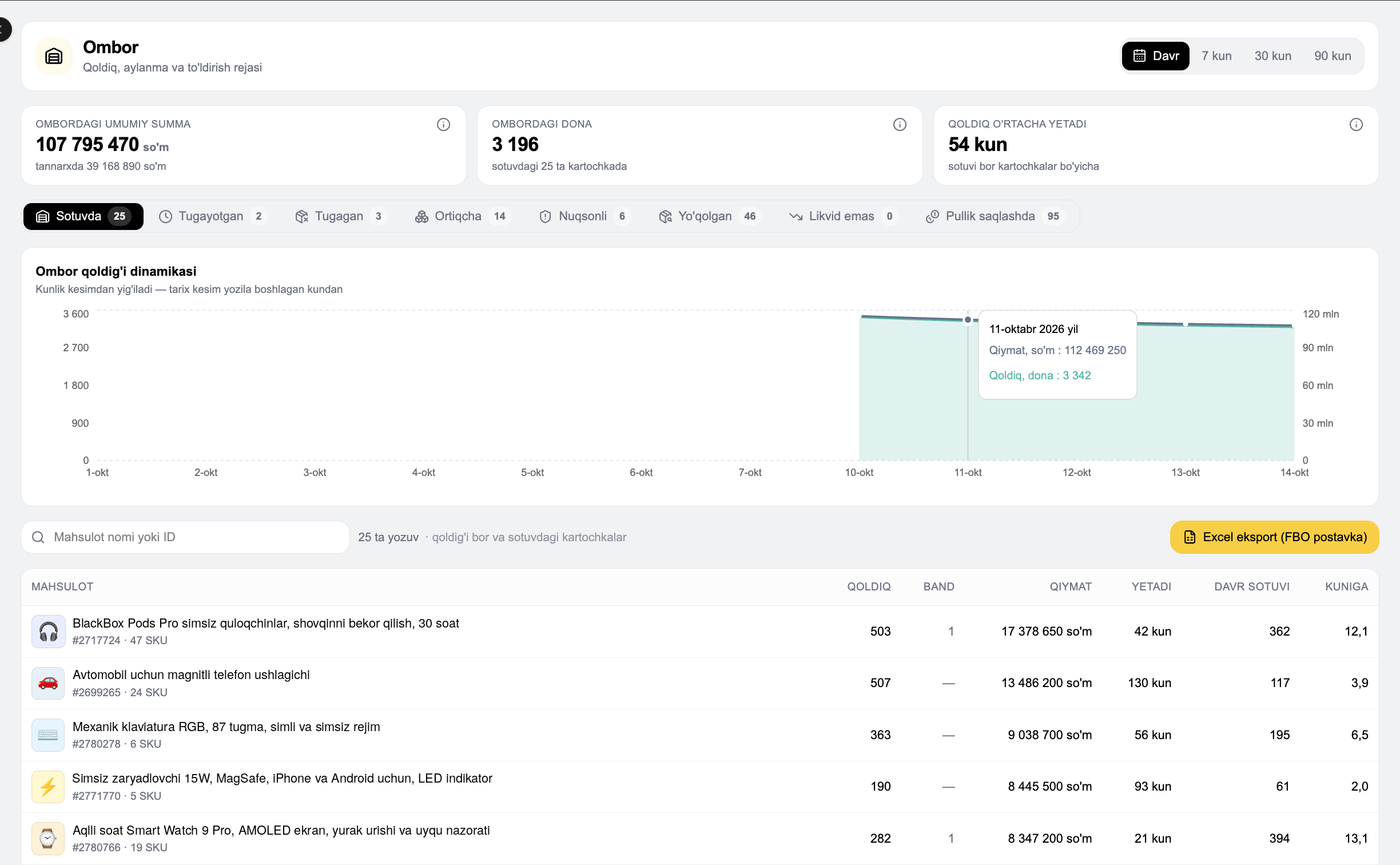
How long stock will last and what to restock.
- Stock value and units
- Running out, excess and lost goods
- Excel export for FBO supply
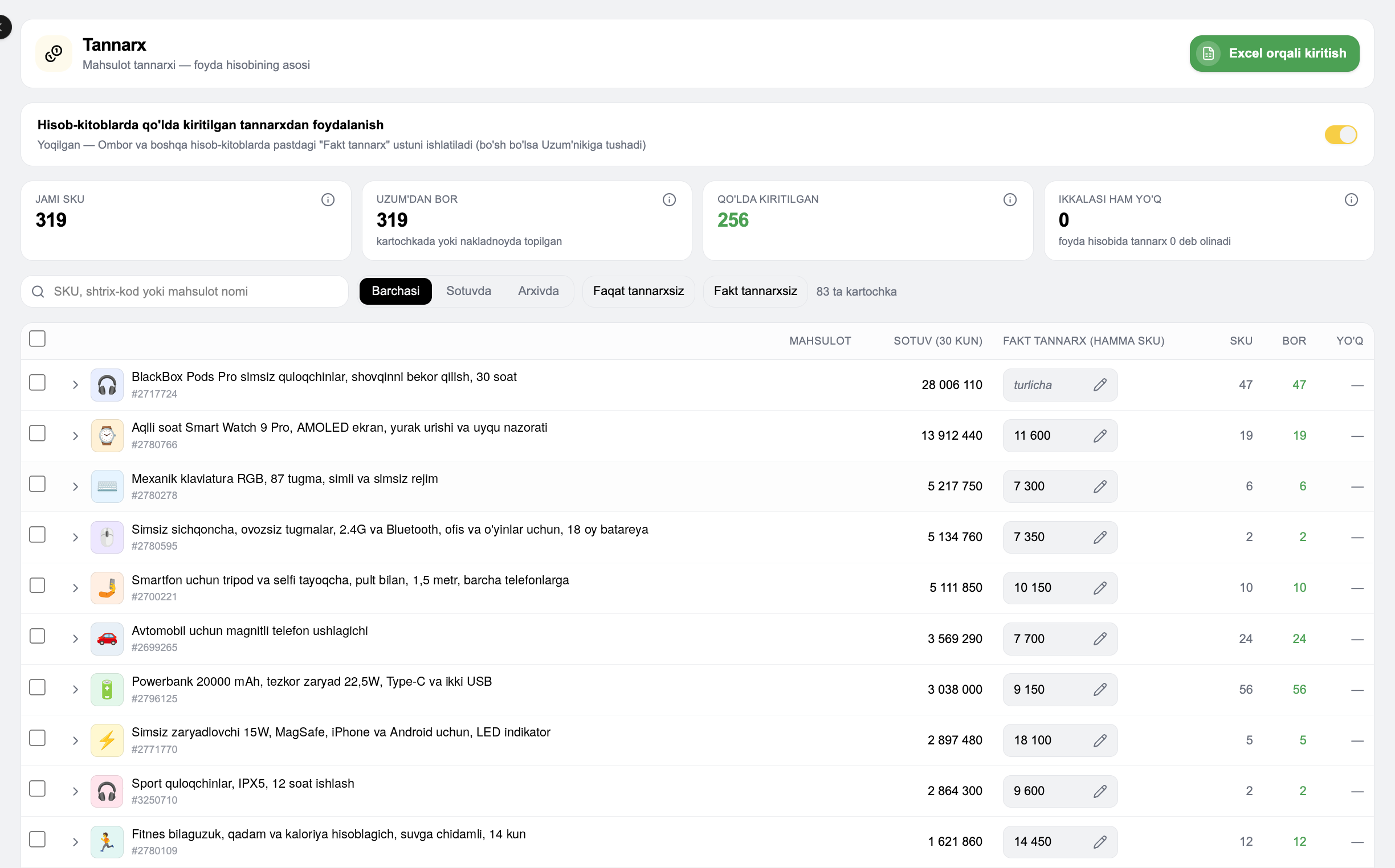
The basis of profit
Enter the cost of each SKU and profit and margin are exact.
- Quick input via Excel
- Find listings without cost price
- Cost from Uzum and entered manually
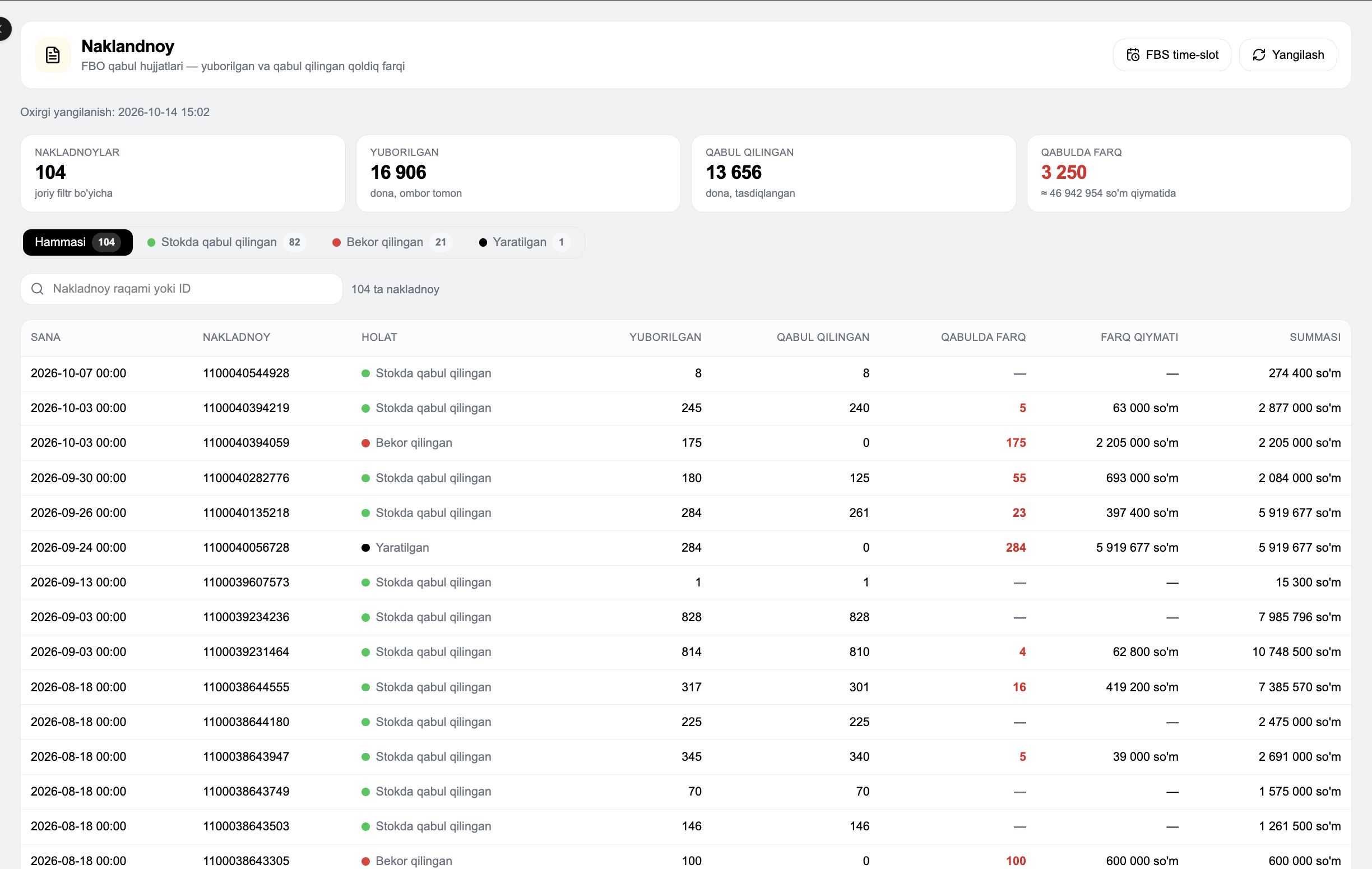
Sent vs accepted difference
FBO acceptance documents show how many goods did not arrive.
- Status of every invoice
- Acceptance difference and its value
- Filter by status
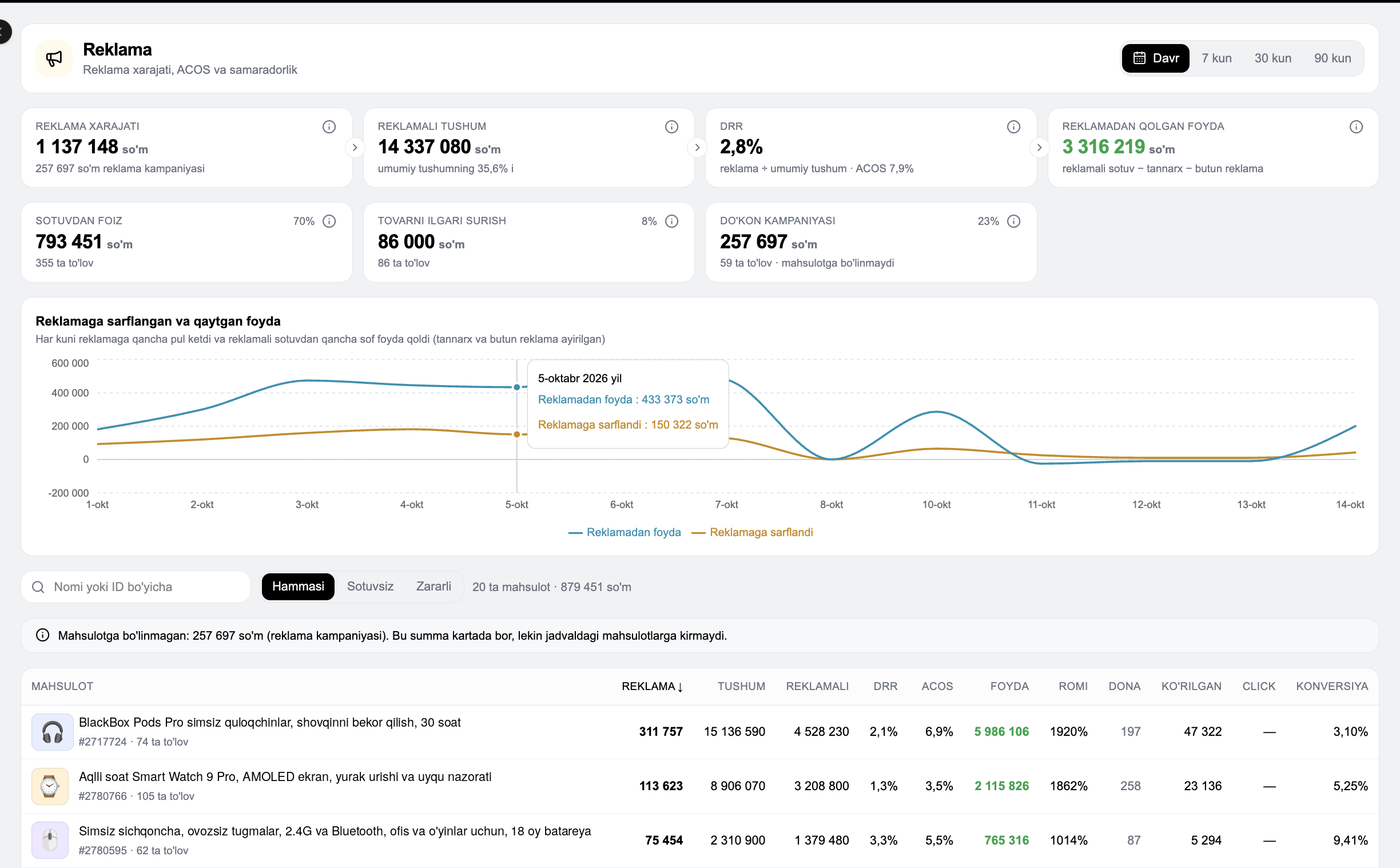
Is advertising paying off
Spend, ACOS, DRR and the net profit ads leave.
- Daily spend and returned profit
- ROMI for every product
- Ads with no sales or losses
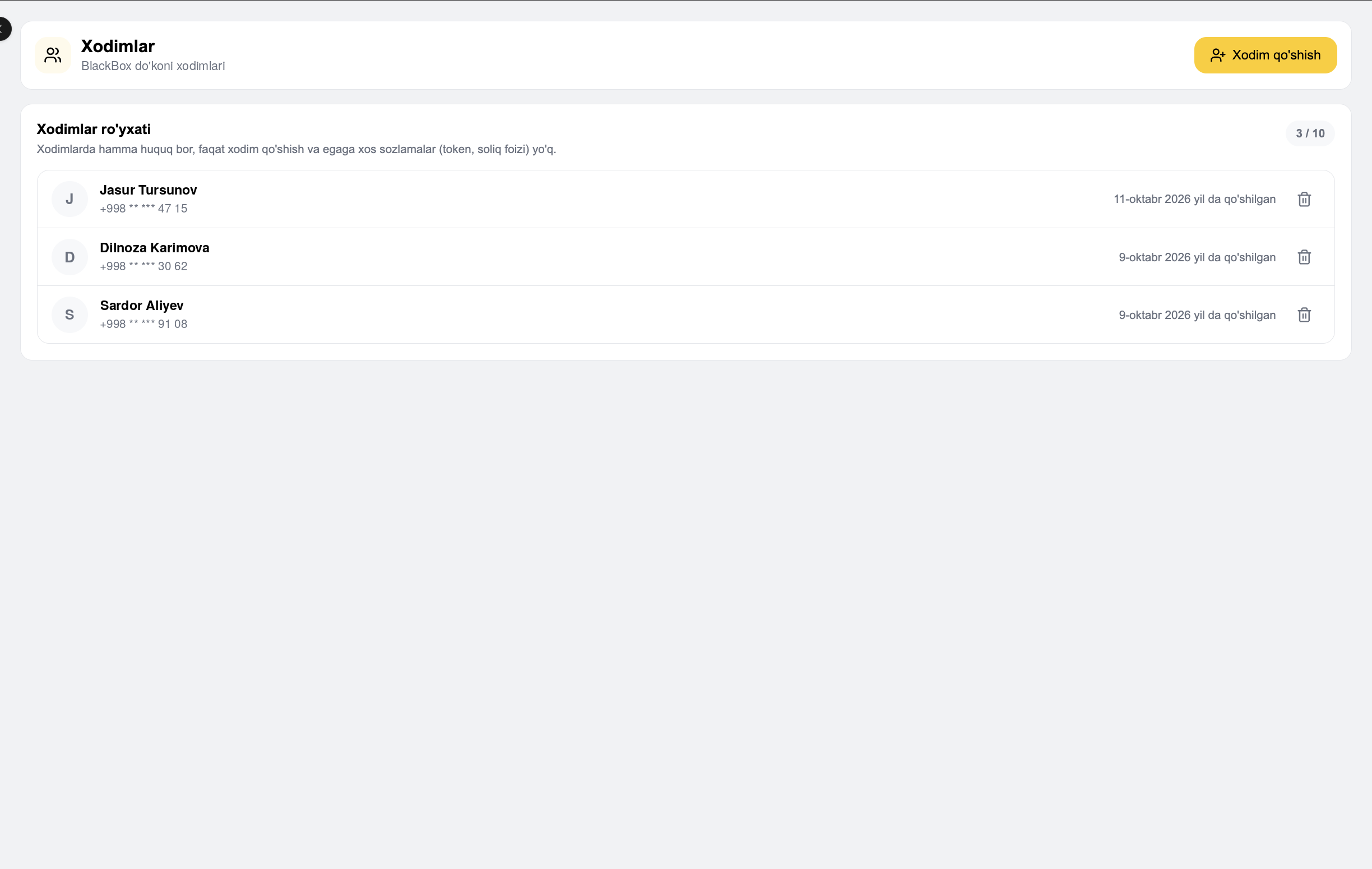
Work as a team
Add team members and each signs in with their own account.
- 2 people on Starter, a team of 5 on Pro
- Owner-only settings stay locked
- Remove a member in one click
AI replies to reviewsSoon
Analyse reviews and prepare replies.
- Reply drafts written by AI
- Alerts on negative reviews
How to start
Compare with the market
The store dashboard and market analytics are in one subscription: view your sales next to the category, competitors and search queries.
Uzum analytics guide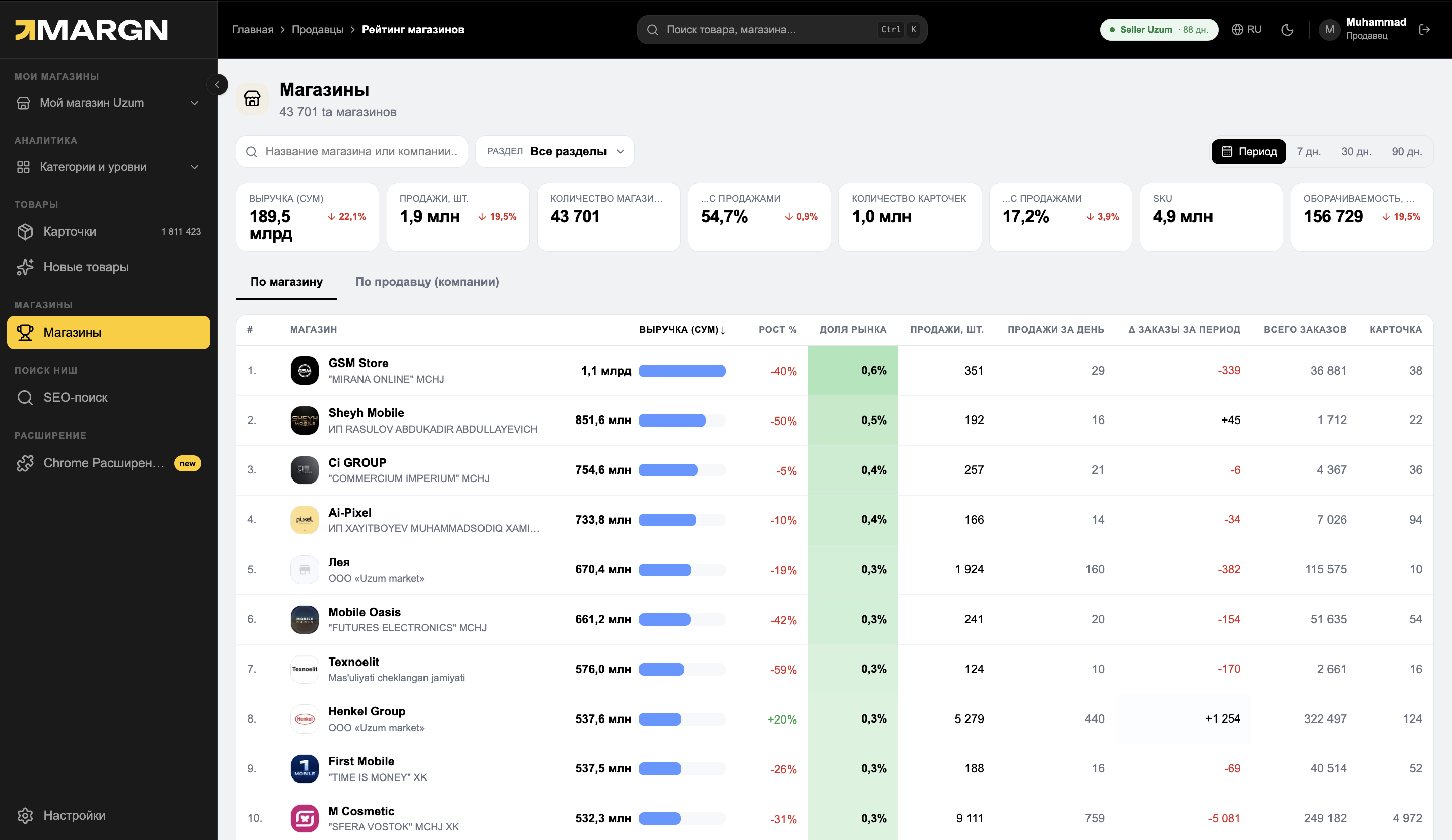
Store dashboard sections
Questions and answers
Is it safe to connect a store?
How many stores can I connect?
Can a team work together?
How is profit calculated?
How quickly is data updated?
See your store's real profit
7 days of full access. No card needed.