
Store dashboard · Ads
Is advertising paying off
Spend, ACOS, DRR and net profit from ads — for each product.
Connect your Uzum storeNo card requiredFrom 499,000 so'm a month
What's on the screen
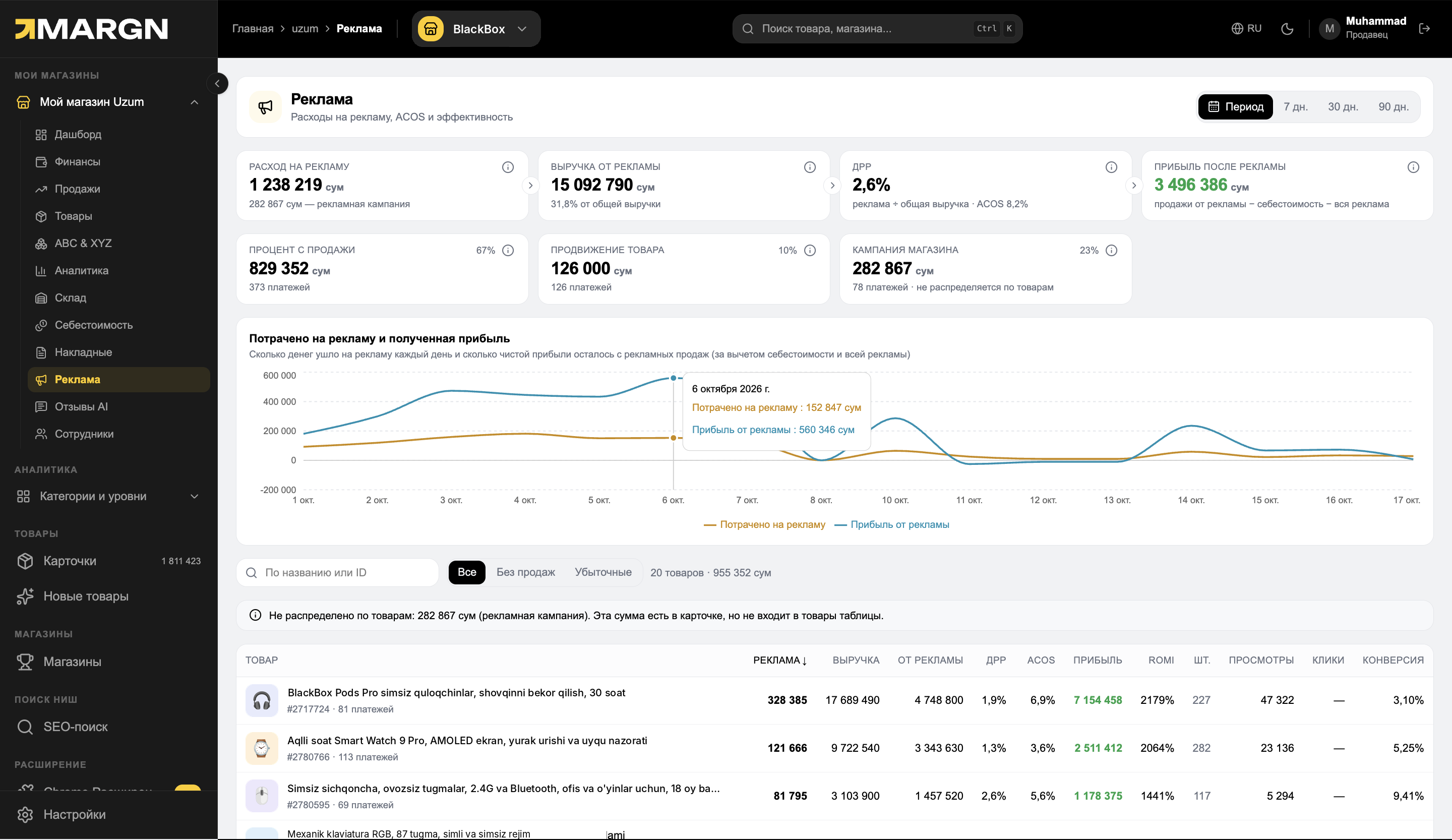
1
Ad metricsSpend, ad revenue, DRR and profit after ads.
2
Spend and profit chartDaily spend and profit received.
3
FiltersAll, without sales and loss-making.
4
Products tableAds, revenue, DRR, ACOS, profit, ROMI, views and conversion.
ROMIfor each product
ACOS and DRRto ad revenue and to total revenue
Loss-makingin a separate filter
Questions it answers
How much went on ads?Daily spend and the total amount.
How much profit is left after ads?Net profit minus cost price and all ad expenses.
Which ads are loss-making?The "Loss-making" and "Without sales" filters.
Which product has a high ROMI?ROMI, ACOS and DRR in the table.
How it works
1Open "Ads"Spend and the profit chart on one screen.
2FilterWithout sales or loss-making.
3Evaluate the productReallocate the budget by ROMI and profit.
Questions and answers
Where does ad spend come from?
From the payments in your Uzum Seller dashboard: percentage of sale, product promotion and store campaign.
What is the "not allocated to products" amount?
Store campaign expenses. They appear in the card but are not allocated to the products in the table.
How does DRR differ from ACOS?
DRR is the share of ad spend in total revenue, ACOS is the share in revenue from ads.
See your store in numbers
7 days of full access. No card needed.