
Store dashboard · Products
Profit for every listing
Revenue, profit, margin and days of stock left — in one table.
Connect your Uzum storeNo card requiredFrom 499,000 so'm a month
What's on the screen
1
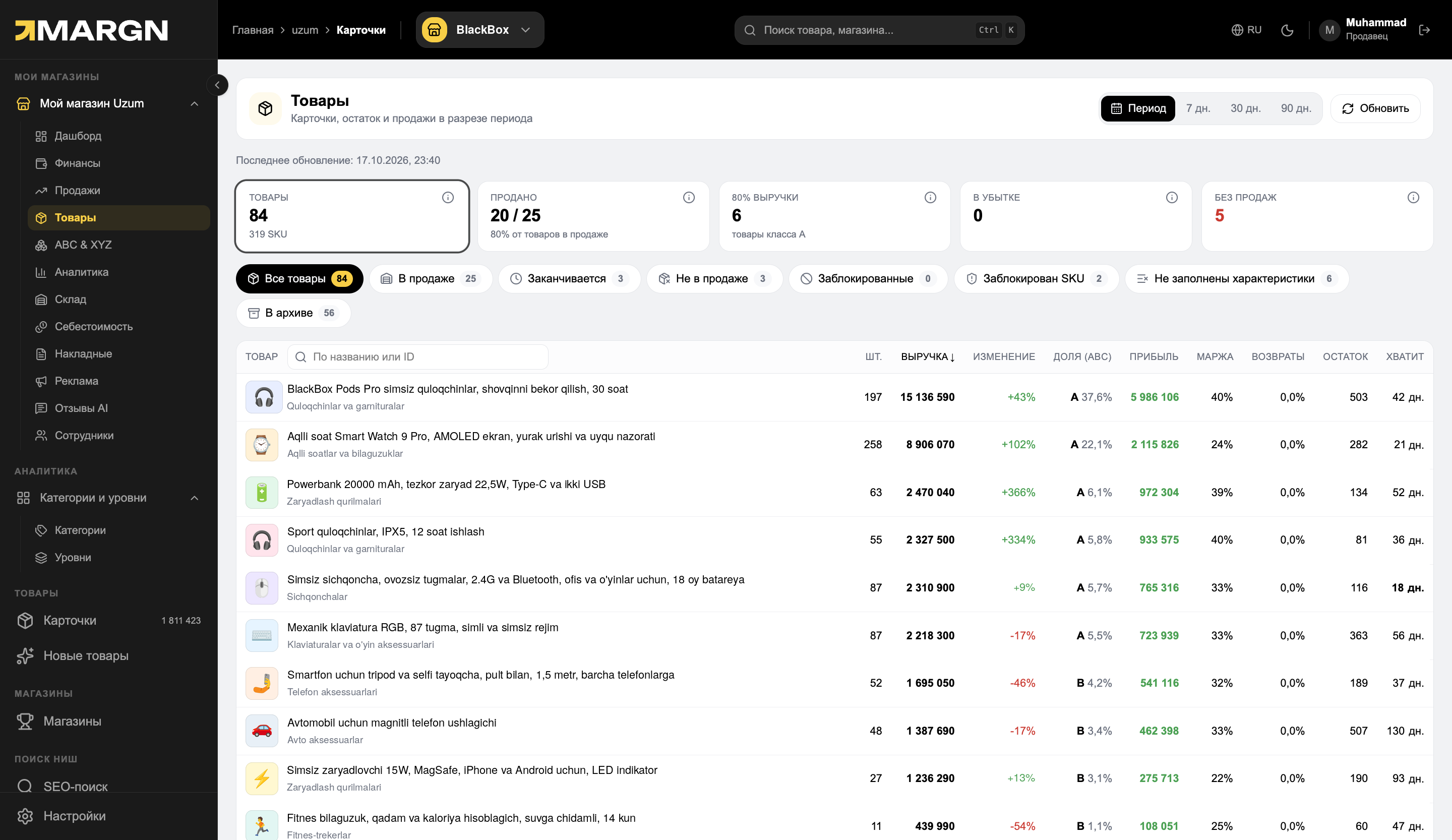
Key metricsProducts, sold, 80% of revenue, loss-making and without sales.
2
Ready-made filtersRunning low, no sales, blocked, archived.
3
Products tableUnits, revenue, growth, ABC share, profit, margin, returns and stock.
4
Profit and stockHow much a card earns and how many days the stock will last.
SKU levelin detail inside the card
8 filtersrunning low, no sales, blocked and others
ABC sharefor each product
Questions it answers
Which product brings profit?Profit and margin for each card.
What will run out soon?How many days the stock will last and the "Running low" filter.
Which card doesn't sell?The "No sales" filter and dynamics.
Which SKU is loss-making?Margin and returns by SKU inside the card.
Inside a listing
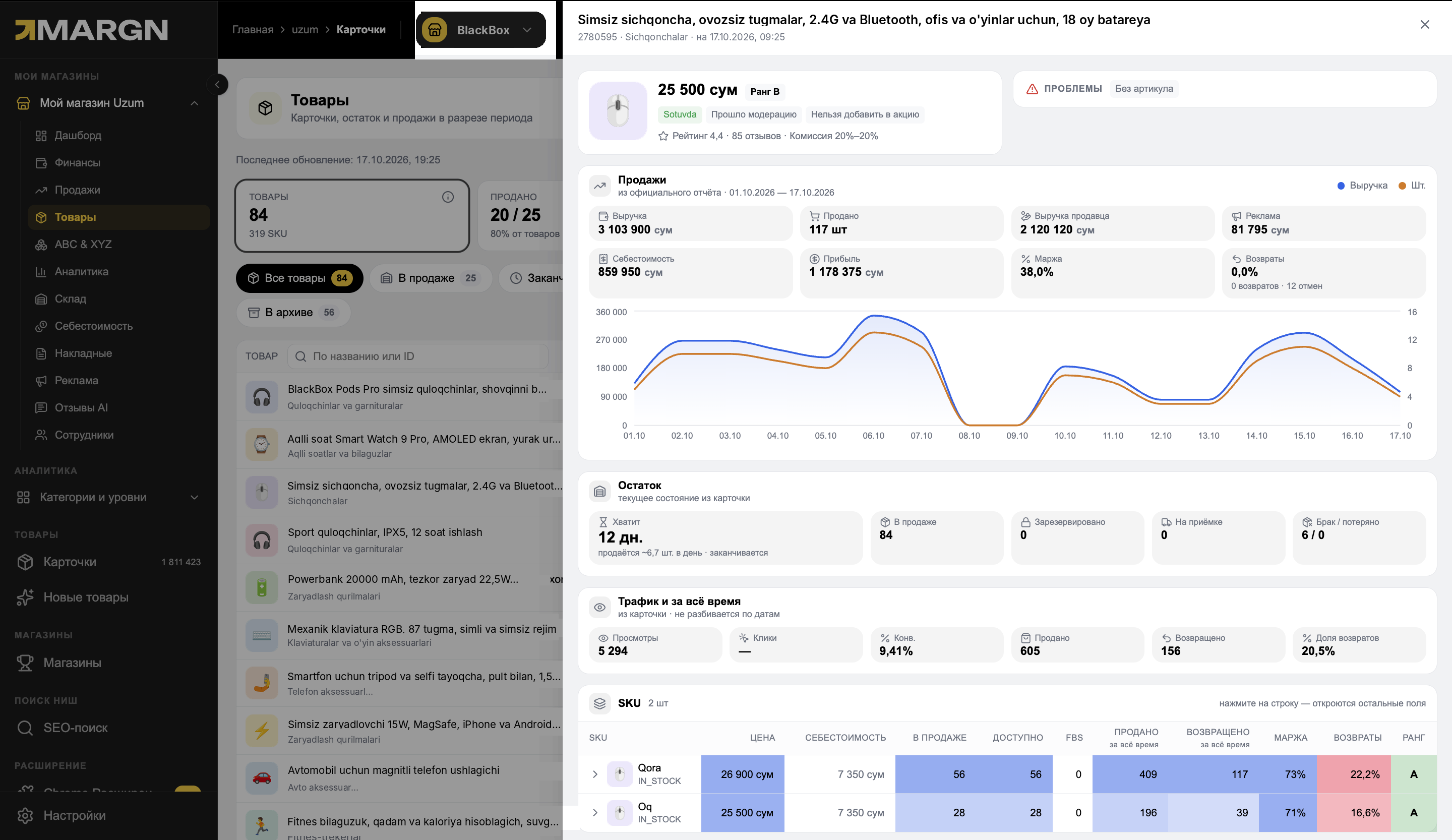
Open one product — revenue, profit, stock and traffic in one window.
1
HeaderRank, rating, reviews and issues.
2
SalesRevenue, profit, margin, cost price and the daily chart.
3
Stock and trafficHow many days it will last, views and conversion.
4
SKUPrice, cost price, margin and returns for each SKU.
How it works
1Open "Products"All cards sorted by revenue.
2Choose a filterRunning low, no sales or blocked.
3Open a cardSKUs, chart, stock and traffic in one window.
Questions and answers
Where does the product count come from?
From the cards in your Uzum Seller dashboard: active, archived and blocked.
How is profit calculated?
Uzum's costs and the entered cost price are subtracted from revenue.
Can I edit a card?
No. MARGN shows data; you edit the card in the Uzum dashboard.
See your store in numbers
7 days of full access. No card needed.