
Store dashboard · Warehouse
Stock and replenishment plan
How many days the product will last, what to ship and what the difference in waybills is.
Connect your Uzum storeNo card requiredFrom 499,000 so'm a month
What's on the screen
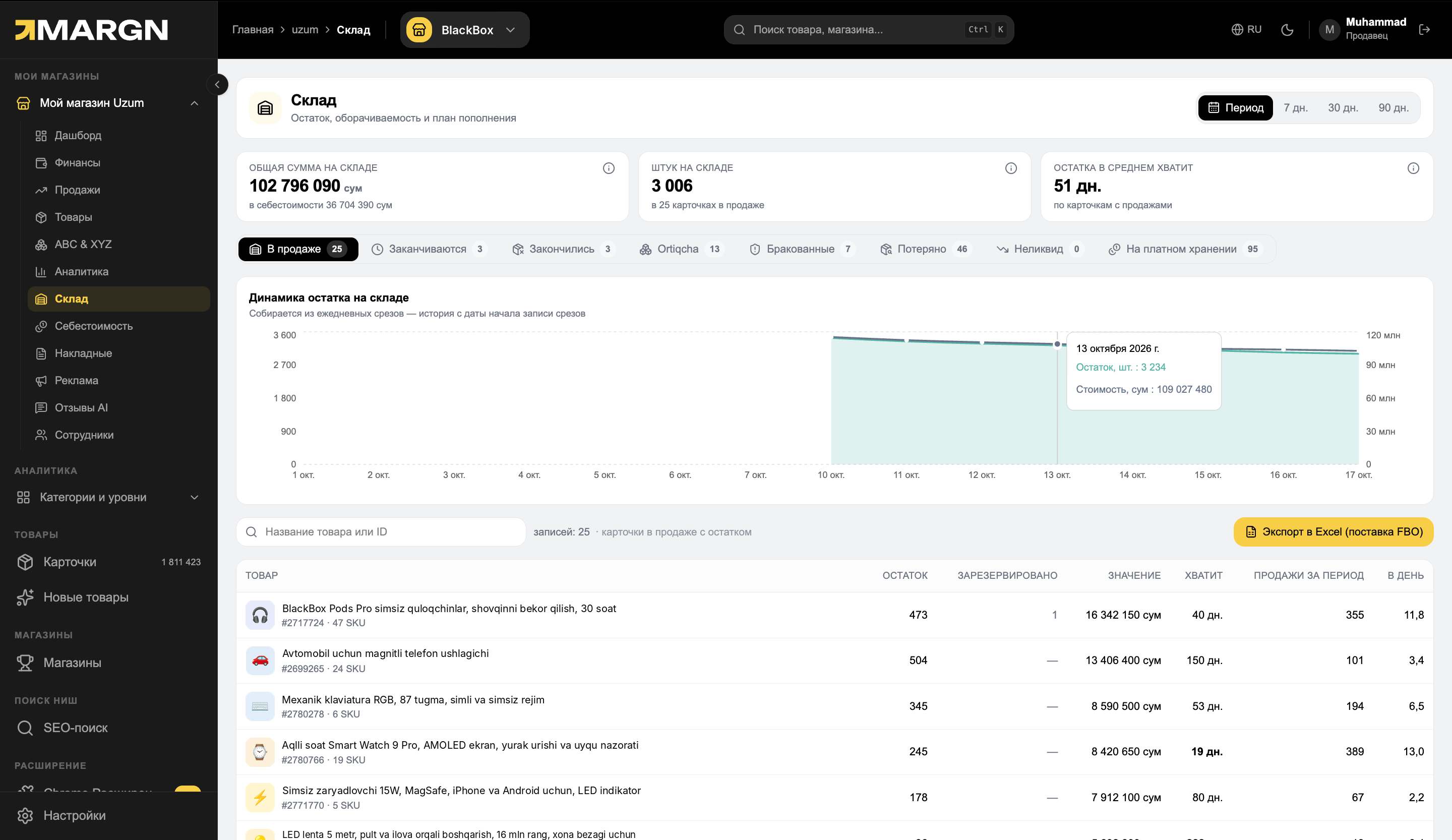
1
Key metricsAmount and quantity in the warehouse, and how many days the stock will last on average.
2
Group filtersOn sale, running low, sold out, excess, defective, lost.
3
Stock dynamicsStock amount and quantity by day.
4
List and exportStock and coverage for each product; Excel for an FBO shipment.
8 groupsrunning low, excess, lost and others
Excelexport for an FBO shipment
By daystock history
Questions it answers
How many days will the product last?For each product and for the warehouse as a whole.
What needs to be shipped?A list of products running low and sold out.
Where is money frozen?Excess products and products on paid storage.
What didn't arrive per waybill?The difference between sent and received, and its cost.
Invoices
FBO receiving documents — the difference between sent and received.
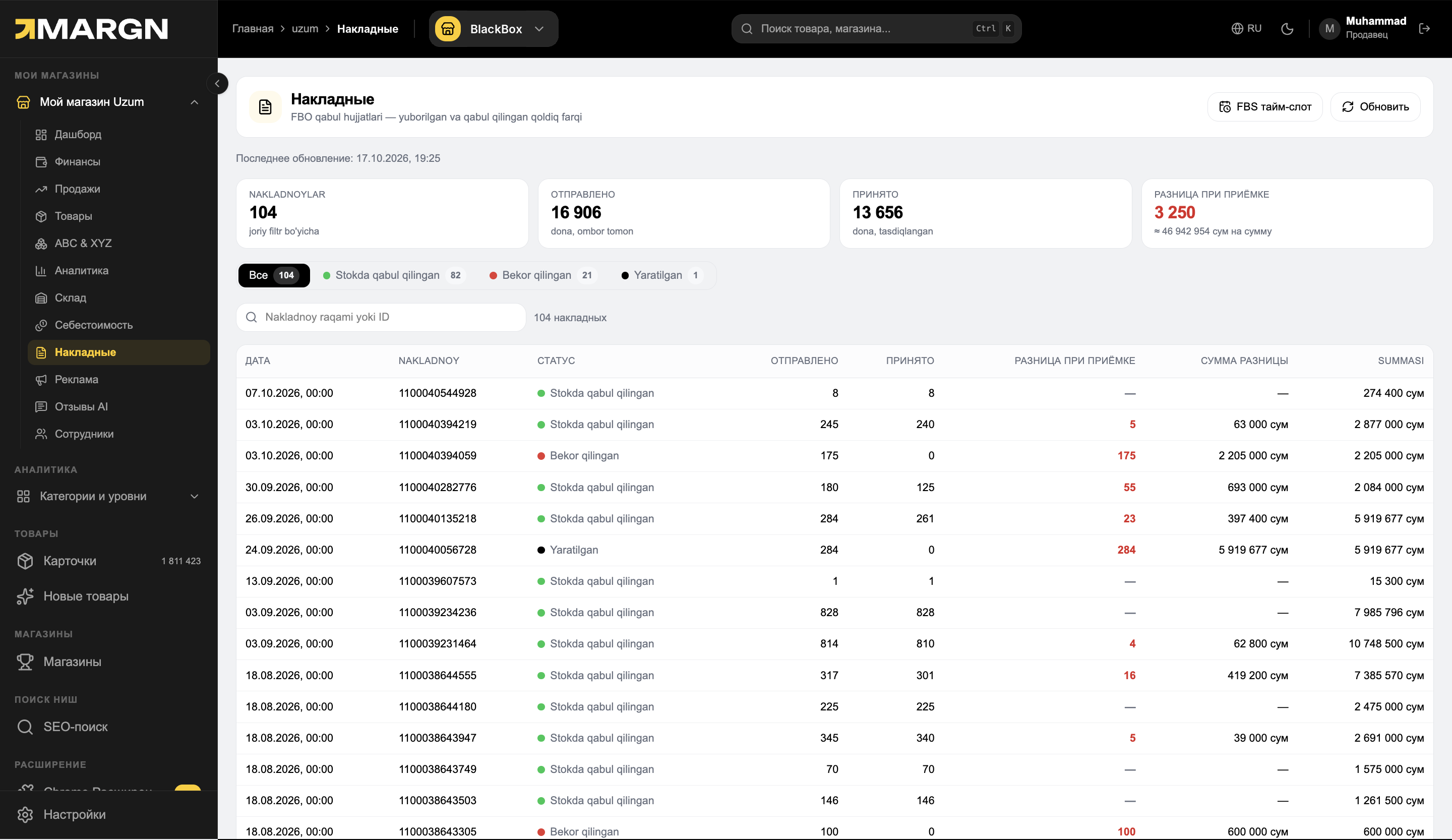
1
Key metricsNumber of waybills, sent, received and the difference.
2
Filter by statusReceived at the warehouse, canceled, created.
3
Waybills tableDate, number, status, sent and received.
4
Difference and its costHow much product didn't arrive and its value.
How it works
1Open "Warehouse"Stock and dynamics on one screen.
2Choose a groupRunning low, excess or lost.
3Download ExcelPrepare an FBO shipment plan.
Questions and answers
Where does the stock come from?
From the warehouse data in your Uzum dashboard; daily snapshots accumulate.
How is "lasts for" calculated?
Current stock is divided by average daily sales.
Why are waybills needed?
If the FBO receiving accepted less than was sent, you will see the difference and its amount.
See your store in numbers
7 days of full access. No card needed.