
Market analytics · Products
Which product sells — and why
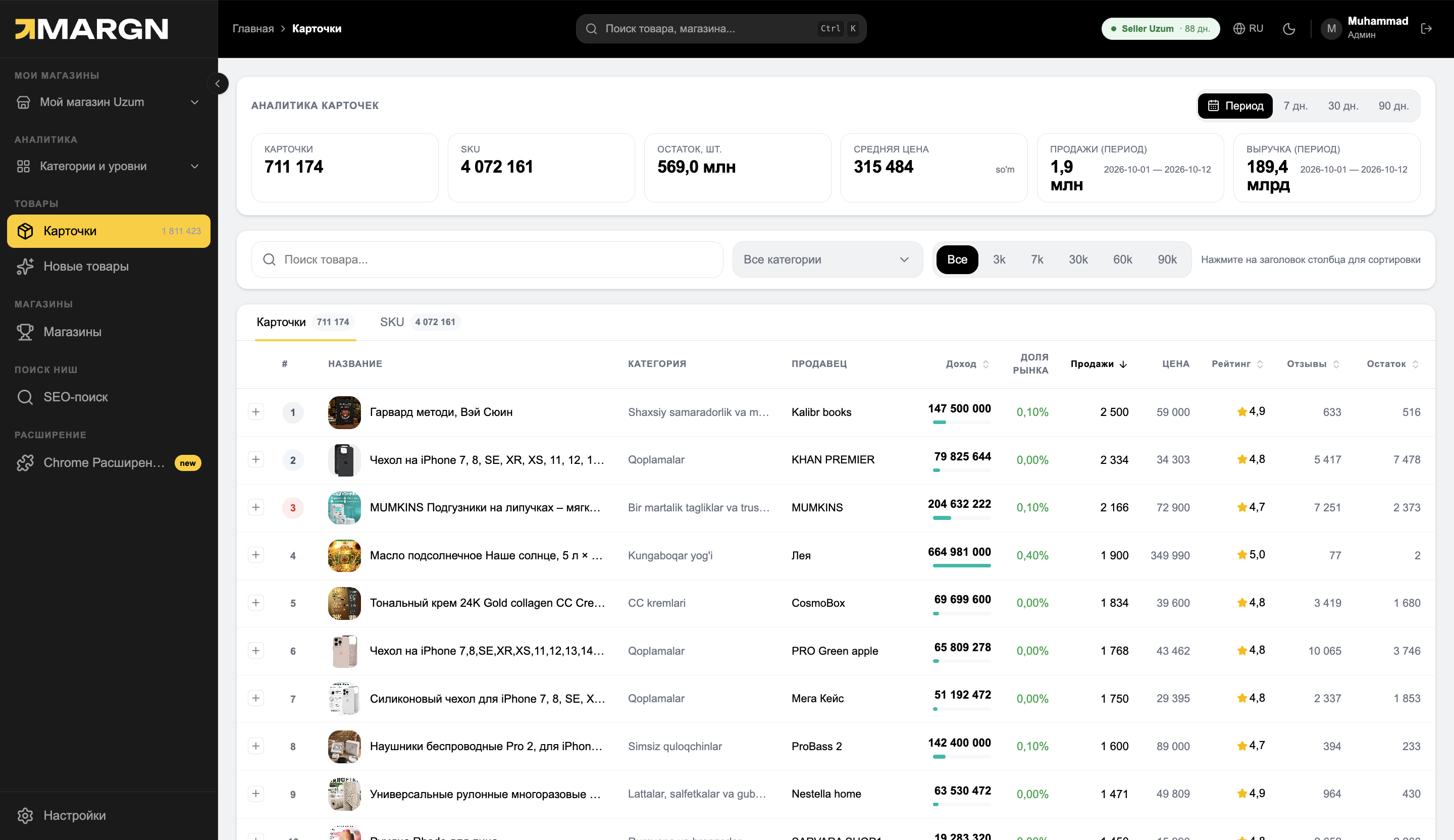
1.8 million cards sorted by revenue. Open any one to see sales, price and stock for each color and size.
No store connection neededNo card requiredFrom 499,000 so'm a month
What's on the screen
1
Search and filtersBy category, price range and keyword.
2
Revenue and shareHow much a card earned and what share of the market it is.
3
Sales and priceNumber of sales for the period and the current price.
4
Rating, reviews, stockBuyers' rating and how much product is in stock.
1.8 millioncards
4 million+SKU
every dayprice and stock history
Questions it answers
How much does a competitor sell?Sales and revenue for each card.
Which variant sells better?SKU sales by color, size or model.
What happens if I change the price?Price and sales history side by side.
Will the product run out?A competitor's stock and turnover in days.
Inside a listing
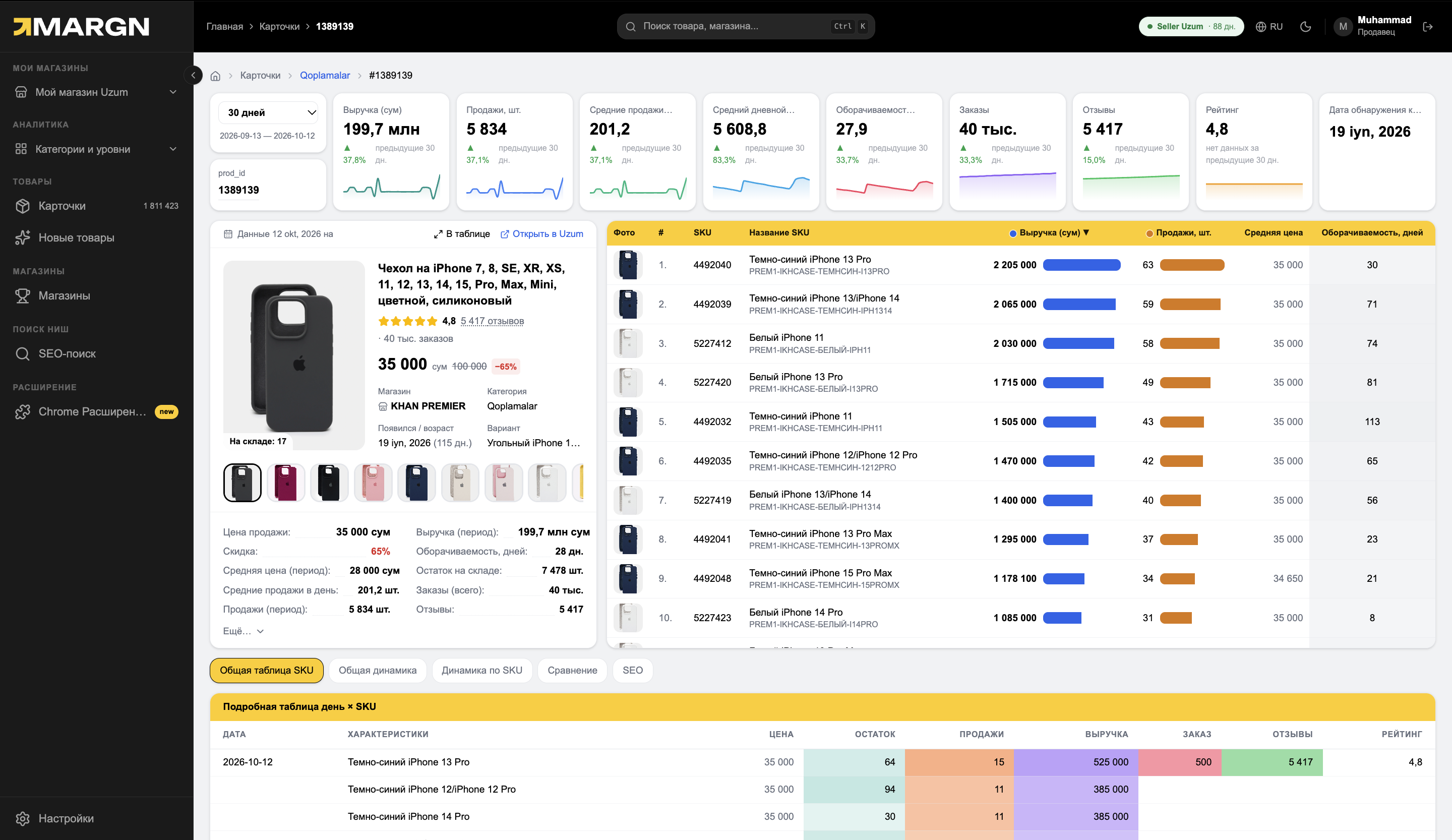
Open one card — and see exactly how it earns.
1
Metrics with chartsRevenue, sales, turnover and orders — versus the previous period.
2
SKU tableWhich color and model sell better.
3
Day × SKUPrice, stock and sales by day — you can see when a discount worked.
How it works
1Choose a categoryOr type a product name.
2Sort by revenueThe strongest cards are on top.
3Open a cardDown to the SKU and daily dynamics.
Questions and answers
Where does the sales data come from?
From orders and stock changes in the open Uzum catalog. Data is updated 3 times a day.
Can I compare cards?
Yes, several cards can be placed side by side and compared on every metric.
Are a competitor's SKUs visible?
Yes. For each SKU — color, size, model — sales, price and stock are visible.
See the market in numbers
7 days of full access. No card needed.