
Store cabinet · Reviews
AI writes the replies to your reviews
Customer reviews in one place: AI prepares a reply or sends it by your rules.
Connect your Uzum storeNo card requiredFrom 499,000 so'm a month
What's on the screen
1
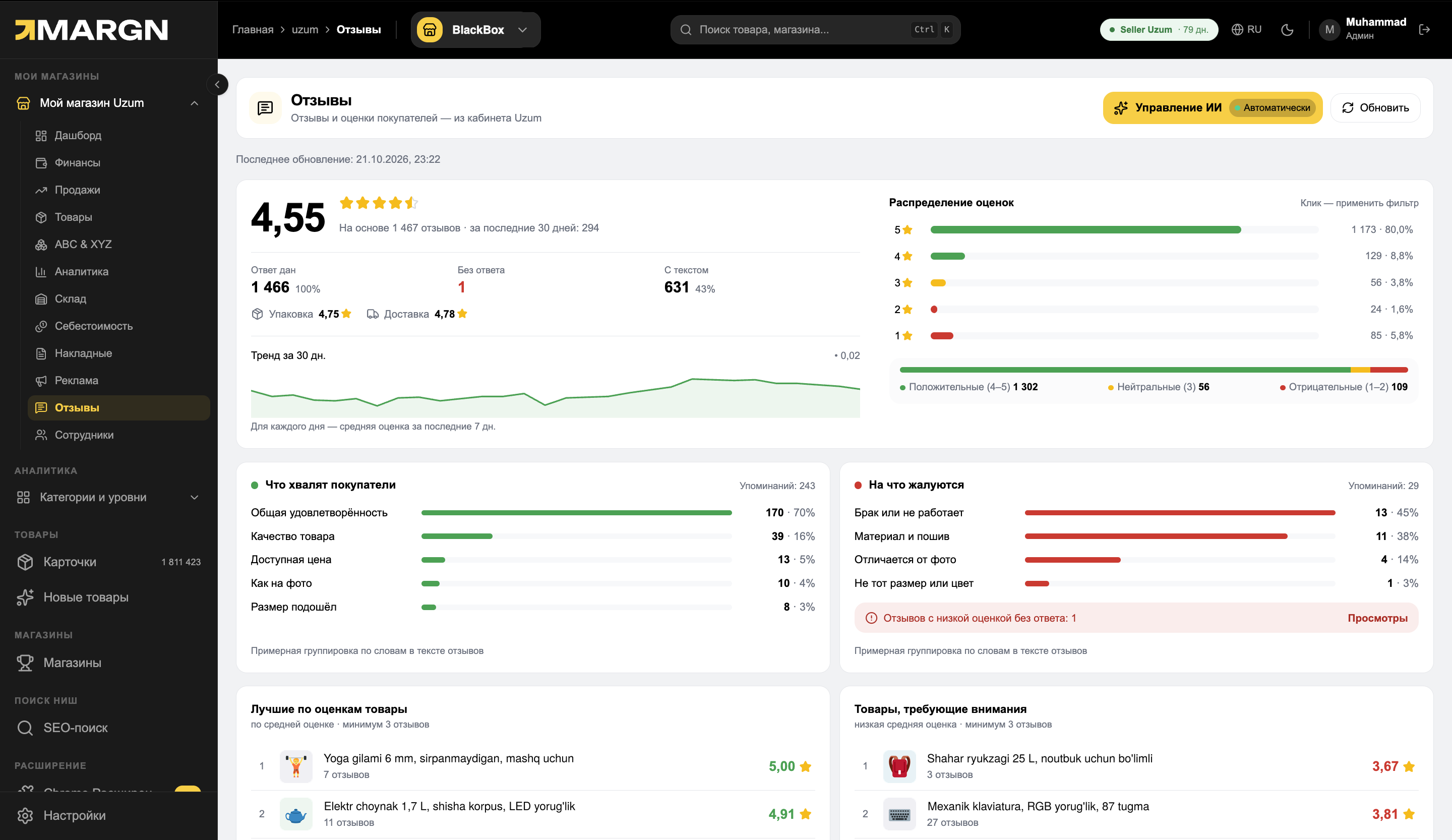
AI controlsThe reply mode opens in one click; the current mode shows on the button.
2
Rating and repliesAverage rating, answered reviews, packaging and delivery scores, 30-day trend.
3
Rating distributionShare for each star; click to filter the list.
4
What customers praise and complain aboutWhat customers praise and what they complain about — based on review text.
4,55 ★rating and review analysis
3 modesdraft, with approval, automatic
Uz / Rureply in the customer's language
Questions it answers
How many reviews are still unanswered?The “Unanswered” filter and the status of every review.
Where do low ratings come from?1–2 star reviews and their text in one place.
No time to reply?AI prepares a draft or replies on its own to the ratings you select.
Will the reply match your store's tone?Tone, language, signature and extra instructions are configurable.
From review to reply
The list, review details and AI settings — in one cabinet.
1Reviews and reply
1
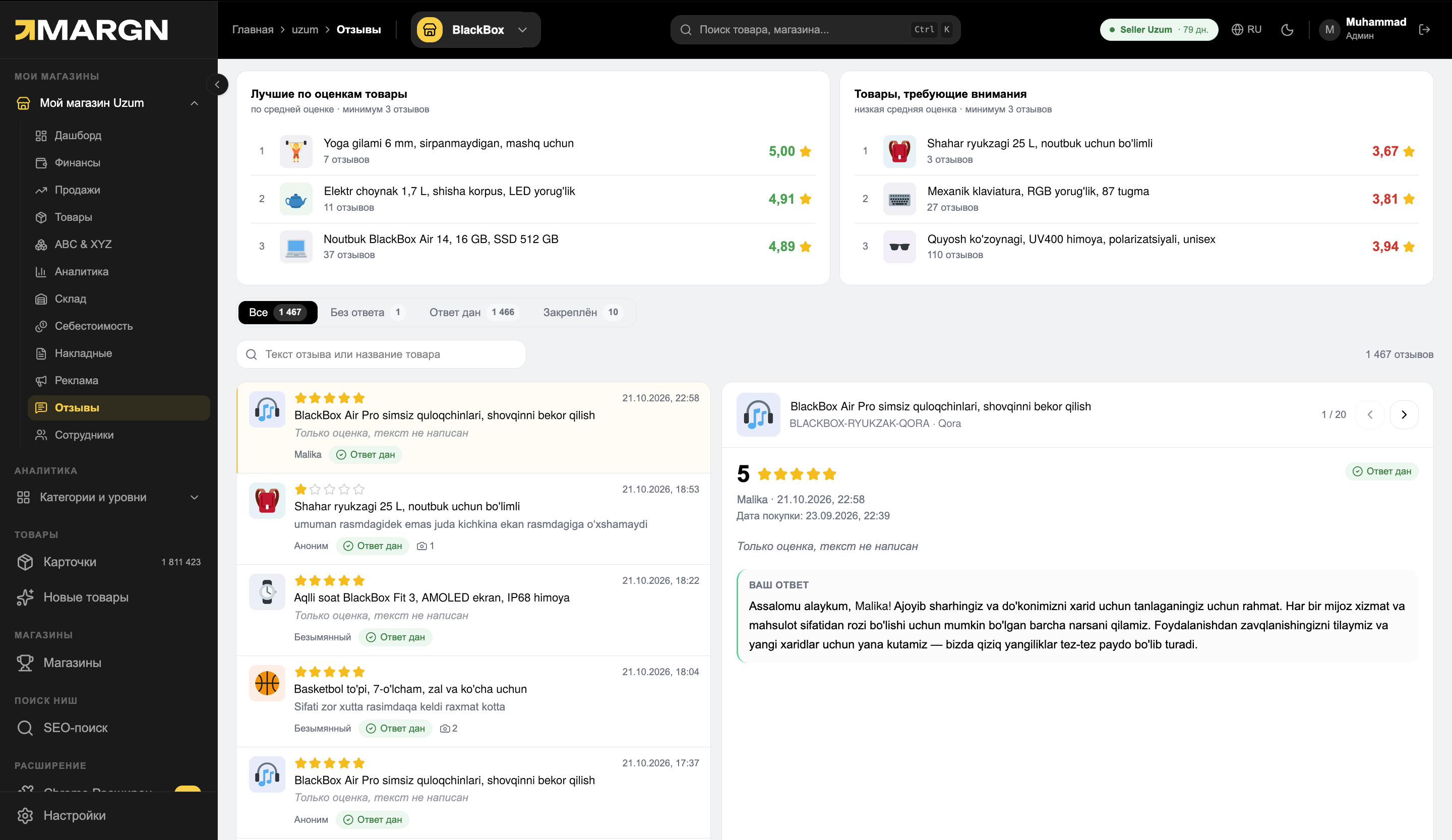
Product ratingsTop-rated products and products that need attention.
2
Filters and searchAll, unanswered, answered and pinned reviews.
3
Review listRating, text, customer and reply status.
4
Review and replyReview details, purchase date and the sent reply.
2AI control panel
1
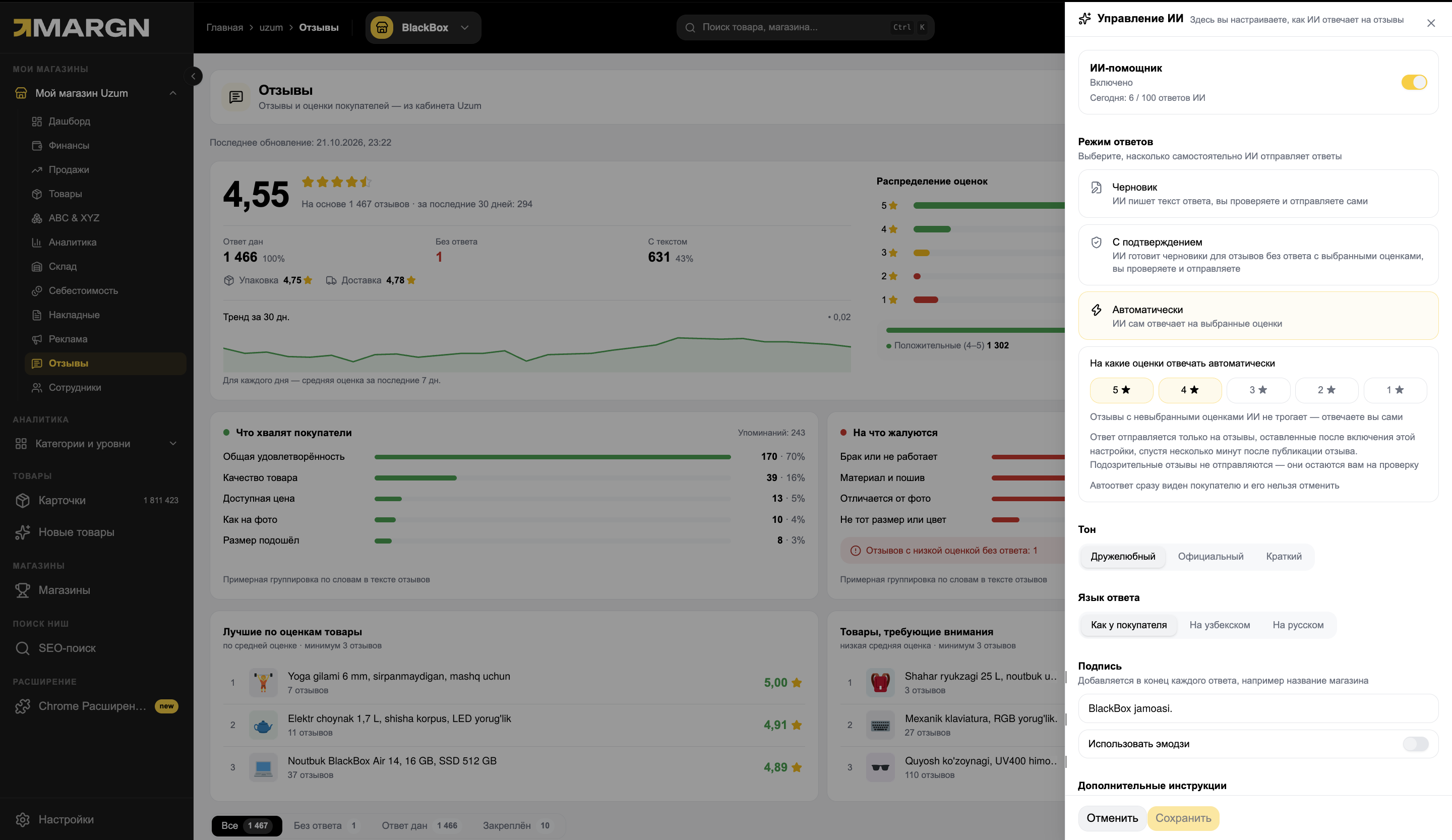
Reply modeDraft, with approval or automatic — you decide how independent AI is.
2
Ratings for auto-replyPick the stars AI replies to on its own; it leaves the rest alone.
3
Tone and languageFriendly, formal or brief; in the customer's language, Uzbek or Russian.
4
Signature and instructionsThe signature is added to the end of every reply; you write any extra rules yourself.
How it works
1Open “AI controls”The button in the “Reviews” section.
2Choose a modeDraft, with approval or automatic.
3Set the tone and signatureReplies go out in your store's name.
Questions and answers
Which reviews does AI reply to?
Those with the ratings you choose (for example 4–5 ★). AI leaves the other reviews alone — you reply to them yourself.
Is there a risk of mistakes in automatic mode?
Suspicious reviews are not replied to — they stay for your review. An automatic reply is visible to the customer immediately and cannot be undone, so start with Draft mode.
Which plan includes it?
Demo (7 days free) — up to 30 AI replies; Start and Pro — unlimited.
Other store dashboard sections
See your store in numbers
7 days of full access. No card needed.